Robots · Robot arms
Unitree Z1 teleoperation: a light arm for legged robots, with ROS 1, community ROS 2 and a LeRobot gap
The Z1 is Unitree's 4.3 to 4.5 kg arm, built to ride on quadrupeds and mobile bases. Its software is thinner than a lab arm's: an SDK, a ROS 1 package, community ROS 2 and no LeRobot driver. Here is what that means for teleoperation and data.
- Degrees of freedom
- 6
- Payload
- Z1 Air 2 kg; Z1 Pro 3 kg or more
- Reach
- 740 mm
- Repeatability
- About 0.1 mm (Unitree notes results vary with test conditions)
- Weight
- Air 4.3 kg; Pro 4.5 kg
- Joint speed
- Up to 180°/s on every joint
- Communication
- Ethernet to the arm; RS-485 to the joint motors
- Power
- 24 V, over 20 A, 500 W max
Updated
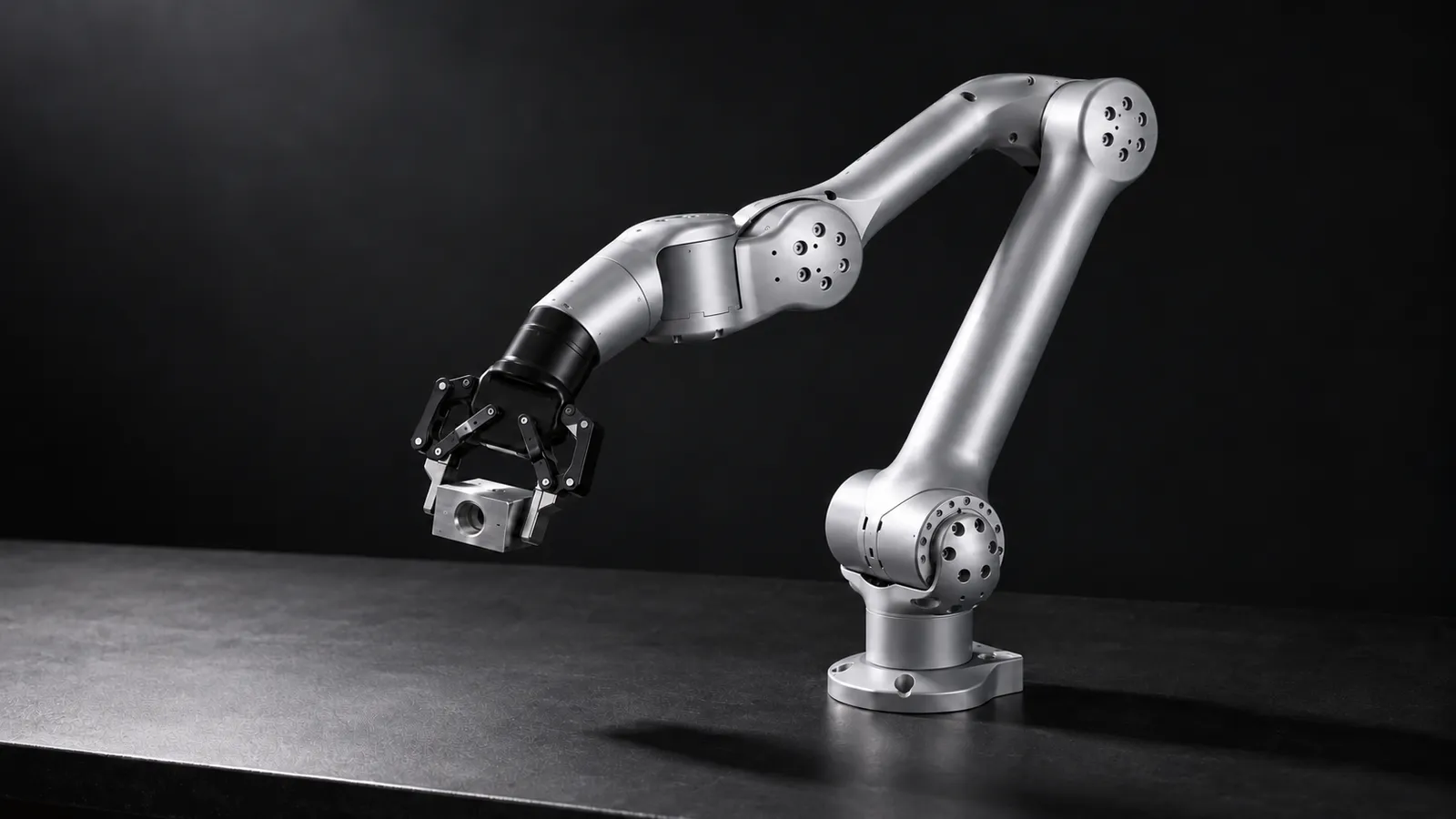
The Unitree Z1 is a six-axis arm that weighs 4.3 kg (Air) or 4.5 kg (Pro), reaches 740 mm, carries 2 kg (Air) or 3 kg and more (Pro), and repeats to about 0.1 mm by Unitree's figure. It has position and force control, force feedback and collision detection, quick-change end actuators, and it is built to "cooperate with Aliengo or B1 Robot and other mobile robots". That combination, a light arm with a precise spec, is why it shows up on legged manipulators. The software around it is thinner than on a typical lab arm, so most of the work in teleoperating a Z1 is choosing, and owning, the control path.
The software stack, as it actually exists
z1_sdk
z1_ros (ROS 1)
ROS 2 (community)
LeRobot
How to teleoperate a Z1
Unitree does not document a dedicated leader arm or VR app for the Z1 in the material above, so every teleoperation setup is something you assemble. The practical options:
Cartesian input through MoveIt
Joint streaming through the SDK
Bimanual pairs
Mounted on a Unitree B1, the Z1 can refuse SDK connections even though it answers ping at 192.168.123.110. In a z1_controller issue, users fixed it by logging into the robot's x86 computer (192.168.123.220) and removing the line that runs `keep_arm_joystick_alive.sh` from the Z1 autostart script, and in some setups `keep_arm_alive.sh` as well. No official fix is merged. If your Z1 rides on a Unitree base, check what the base starts on boot before you blame your code.
Putting a Z1 on a mobile base
Most Z1 teleoperation problems on mobile robots are integration problems that look like operator problems. Settle these before the first remote session:
Power budget
Network map
Boot behavior
Cameras
End effector
Control loop and latency on a moving base
A teleoperation loop on a Z1 has two halves: the arm controller, reached over Ethernet and UDP, and whatever you put in front of it. Run that front end on a computer on the same robot, next to the arm, and keep the operator's link separate. If you record at 30 Hz, the rate of Unitree's public Z1 Dual dataset, each step is about 33 ms. On a legged or wheeled robot the operator's link usually goes over Wi-Fi, and Wi-Fi delay arrives in bursts. Clamp per-step joint motion on the robot side, filter the operator's targets, and give the operator a clear way to freeze the arm.
Arm on a stationary base
Arm on a walking robot
Contact tasks
Our latency guide covers budgets by task type; start there before planning a remote Z1 program.
Data: Unitree's Z1 datasets and the LeRobot path
Unitree publishes Z1 data in LeRobot format. unitreerobotics/Z1_Dual_Dex1_StackBox_Dataset has 218 episodes and 117,266 frames at 30 fps, in LeRobot format v2.1, with one 640×480 high camera and a 14-value state and action: waist, shoulder, elbow, forearm roll, wrist angle, wrist rotate and gripper for each arm. In unitree_lerobot, teleoperation data is first stored as JSON per episode (color, depth, audio and a data file) and then converted to LeRobot format, with a small editor for trimming segments and deleting bad episodes. Its latest release moved to LeRobot dataset v3.0 and added π0.5 and GR00T policies.
If you record through ROS
If you want LeRobot natively
If you want to match Unitree's data
Whichever path you take, write the stack into the dataset metadata. A Z1 driven through z1_ros on Noetic, through the community ROS 2 package, or straight through the SDK can produce data with different joint names, units, gripper conventions and timing. Unitree's own data uses names like kLeftWaist and kLeftWristRotate; a ros2_control setup will use whatever its URDF says. Map them once, in a script you keep with the data, rather than by hand at training time.
We deliver Z1 episodes as LeRobot, RLDS or HDF5, and as ROS 2 bags if the arm is part of a vehicle program. The data collection guide has the QA checklist.
What a good Z1 operator does
Z1 or a lab arm?
Choose the Z1 when weight and mounting decide: it is light enough for a legged or small mobile base, and Unitree positions it for its own quadrupeds and other mobile robots. For a fixed bench, an arm with a maintained LeRobot path is less work. The Trossen WidowX AI has an official LeRobot plugin, and Trossen's Mobile AI is a wheeled bimanual kit if mobility is the point. A UFACTORY xArm 6 brings maintained ROS 2 packages and more payload, on a heavier arm. The Z1 gives you a precise spec in a light package; you pay for it in integration.
How RoboPilots runs Z1 teleoperation
The robot stays with you. We agree the input path and control stack with you (ROS 1, community ROS 2 or SDK), install the operator client on your side of a VPN, and train a dedicated group of operators on your unit, your base and your task protocol before the first recorded episode.
One-week trial
Coverage
Data
Interfaces, specs and sources
- z1_sdk (C++ / Python)
- z1_ros (ROS Noetic, MoveIt)
- Community z1_ros2 (ros2_control, MoveIt)
- unitree_lerobot fork (data conversion)
- UDP over Ethernet
- No built-in LeRobot driver
Specs are the maker's published figures, checked on . RoboPilots is not affiliated with Unitree Robotics; product names are trademarks of their owners.
- Unitree Z1 product page and specifications
- unitreerobotics/z1_sdk (GitHub)
- unitreerobotics/z1_ros: ROS Noetic and MoveIt (GitHub)
- z1_ros issue #14: ROS 2 support
- idra-lab/z1_ros2: community ROS 2 package (GitHub)
- z1_controller issue #8: Z1 mounted on B1
- unitreerobotics/unitree_lerobot (GitHub)
- unitreerobotics/Z1_Dual_Dex1_StackBox_Dataset (Hugging Face)
- LeRobot built-in robots (GitHub)
- LeRobot docs: third-party robots
Frequently asked questions
- Does the Unitree Z1 support ROS 2?
- Not officially. Unitree's z1_ros package targets ROS Noetic. A community package, idra-lab/z1_ros2, provides a ros2_control hardware interface and MoveIt integration, with CI on Humble, Jazzy and Rolling.
- Does LeRobot support the Unitree Z1?
- There is no built-in driver and no listed plugin. Unitree's unitree_lerobot fork can convert Z1 single and dual data to LeRobot format, and Unitree publishes Z1 Dual datasets on Hugging Face.
- What is the difference between the Z1 Air and Z1 Pro?
- Unitree lists the Air at 2 kg payload and 4.3 kg weight, and the Pro at 3 kg or more payload and 4.5 kg. Both have six axes, 740 mm reach and about 0.1 mm repeatability.
- Why can't I connect to my Z1 when it is mounted on a B1?
- Users in a z1_controller issue traced it to the B1's autostart scripts keeping the arm under joystick control. Removing the keep_arm_joystick_alive line from the Z1 autostart script on the robot's x86 computer fixed it for them.
- Can the Z1 be teleoperated with VR?
- Yes, but you build the mapping. Drive end-effector targets through MoveIt on ROS 1 or the community ROS 2 package, or stream joint targets through z1_sdk.