Robots · Robot arms
Mobile ALOHA teleoperation on the Trossen Mobile AI: bimanual data away from the lab bench
The Mobile AI is Trossen's current Mobile ALOHA-style kit: two WidowX AI leader/follower pairs and three cameras on a wheeled base. Taking bimanual data collection out of the lab changes who needs to be on site, what the network looks like and what the dataset should contain.
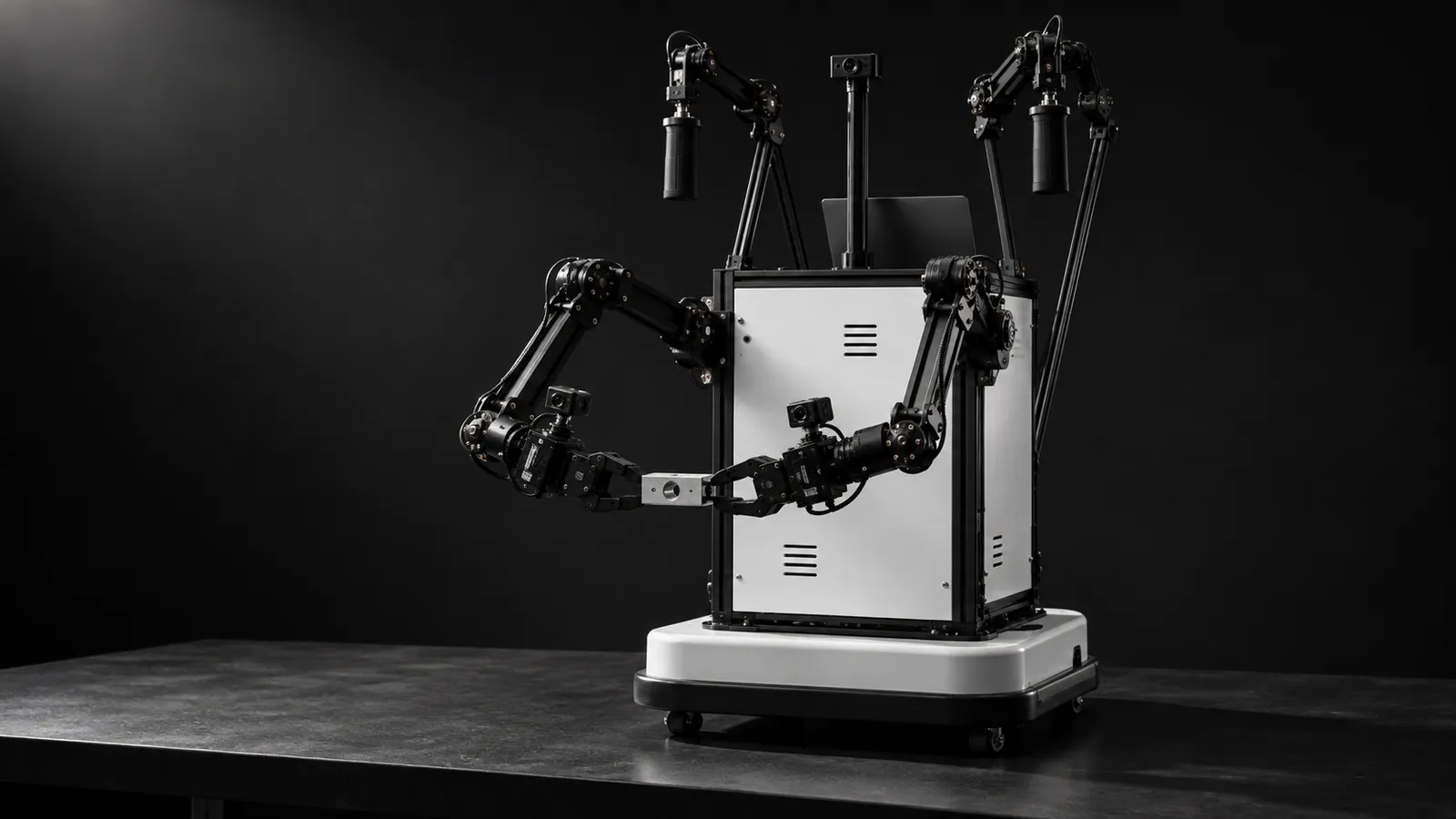
- Arms
- 2 leader/follower WidowX AI pairs (4 arms)
- Cameras
- 3 × Intel RealSense D405 (high, left wrist, right wrist)
- Interface
- 10-inch touchscreen
- Base
- Integrated wheeled base; SLATE base offered for autonomous navigation workflows
- Compute
- Optional high-performance laptop, optimized for ACT / ACT++ training and evaluation
- Price
- Listed at $33,695.95 without laptop, $40,025.80 with laptop, on Trossen Robotics as of October 2026
- Recording defaults
- 30 fps, 640×480 cameras; joints in radians, gripper in meters
- Production time
- 2 to 3 weeks on average
Updated
Mobile ALOHA took the ALOHA bimanual cell off the bench: the project "augments the ALOHA system with a mobile base, and a whole-body teleoperation interface", learned tasks such as cooking shrimp, storing pots in a wall cabinet and calling an elevator from 50 demonstrations each, and showed that co-training with static ALOHA data helped. Trossen's current version is the Mobile AI, "a high-performance, mobile all-in-one robotic machine learning workstation" built from two WidowX AI leader/follower pairs, three RealSense D405 cameras and a touchscreen on a wheeled base. Its pitch is moving between labs, warehouses and other sites without disassembly. That is also what makes it harder to operate than its stationary sibling.
What changed from the original Mobile ALOHA kit
Trossen's ALOHA 2.0 specifications describe the earlier Mobile ALOHA on a SLATE base: 122 kg, 1 m/s top speed, adjustable training wheels and a 1.4 kWh portable power station, with ViperX followers and WidowX leaders. In that kit's operation guide, one person teleoperates the arms "while doing teleop, another person can use the included PS4 controller to move the base", holding L2 to enable driving and releasing it to stop.
The Mobile AI swaps both arm types for WidowX AI pairs and records through Trossen's LeRobot plugin as `mobileai_robot` with `mobileai_leader_teleop`. Trossen's product page describes an integrated wheeled base and lists the SLATE base as compatible for autonomous navigation workflows. The plugin's Mobile AI config adds one option on top of the bimanual one, `enable_base_motor_torque`, which defaults to False. If you own a legacy kit, its ROS-based scripts and HDF5 archives still work on their own terms; the step that needs care is merging them with new data, covered below.
Check what your dataset says about the base. Trossen's plugin docs for teleoperation and recording do not describe base velocity in the observation or action, and the public mobile-baseoff-tshirt-folding-lerobot-V3 set has a 14-value action with arm joints and grippers only. LeRobot's port of the original data, lerobot/aloha_mobile_shrimp, also lists a single 14-value action. If your policy has to learn when and where to drive, confirm the base is recorded before you collect a single episode. If it does not, park the base for each episode and treat it as a bimanual task on a movable table.
Driving it: the leader arms and the people around them
Arm teleoperation on the Mobile AI is the same joint-for-joint leader/follower setup as the Stationary AI. The teleoperation docs give each of the four arms its own IP address, three RealSense cameras (`cam_high`, `cam_left_wrist`, `cam_right_wrist`) at 640×480 and 30 fps, a `max_relative_target` safety limit of 5.0 that Trossen suggests removing only "once you're confident in controlling the robot safely", and a 30 Hz loop rate. Ctrl+C stops it.
What changes is the room. A stationary cell has a fixed table and fixed lighting. A mobile kit goes into a kitchen, a stockroom or a corridor, and every new site needs someone there to move the kit, keep people clear of the arms, and put the scene back between attempts. Plan the Mobile AI as a two-role job from the start: the operator on the leaders, and a field technician who handles the base, the site and the resets. Legacy Mobile ALOHA made the same split explicit with its second person on the PS4 controller. Over a long day the technician also watches cable strain on the wrist cameras, power, and anything on the floor the wheels could catch.
Control rate and latency in the field
The recording loop defaults to 30 fps, so each step is about 33 ms. In a lab, the network between the operator and the robot host is a known quantity. In the field it is whatever the site has: shared Wi-Fi, a hotspot, a warehouse network with client isolation. Three rules keep remote operation on a Mobile AI sane:
Run the loop on the kit
Keep the safety cap on
Test the site first
Trossen's recording docs also note that camera fps can become unstable, and suggest more image-writer threads per camera, turning off the live display, or switching the RealSense cameras to the OpenCV interface. On a laptop-powered kit, check the recorded fps of every episode, not just the first.
Data: what to record, and how much
The plugin writes LeRobot datasets. Trossen's Mobile AI recording example sets 60 s episodes with a 15 s reset (the plugin's own default reset is 60 s), with joints in radians and the gripper in meters. The public Trossen T-shirt folding set gives a sense of scale for a real task: 101 episodes and 155,841 frames at 30 fps, three AV1 camera streams, in LeRobot format v3.0. Trossen's product page lists the optional laptop as optimized for ACT and ACT++ training and evaluation on the kit; for π0 and π0.5, Trossen's OpenPi recipe has its own dataset-version requirements, covered on our WidowX AI page.
Record the site
Keep the camera rig fixed
Co-train deliberately
Pick the formats up front
A field day, step by step
Most lost episodes on a mobile kit are lost to logistics, not to operator skill. A fixed routine for each site visit catches the usual problems before they reach the dataset:
Before leaving
On arrival
Network check
One throwaway episode
During the session
Before packing up
What a good Mobile AI operator does
Mobile AI or Stationary AI?
Buy the Mobile AI if the task truly needs to happen in different places: homes, stores, warehouse aisles. Buy the Stationary AI if it can happen at a bench, because a fixed frame with four cameras gives you more repeatable episodes for less effort per episode. Both use the same WidowX AI pairs and the same plugin, so operator training and task protocols carry over. If you are weighing Trossen's newer arms instead, the WidowX Core, Pro and Heavy line, which pairs with the Glide passive leader.
How RoboPilots runs a Mobile AI program
The kit stays with you, at your sites. We agree the input path and the network setup, put the operator client on your side of a VPN, and train a dedicated group of operators on your unit, your sites and your task protocol before the first recorded episode. You provide the field technician who moves the kit and resets the scene; we write the reset checklist with you.
One-week trial
Coverage
Data
Interfaces, specs and sources
- Two WidowX AI leader/follower pairs
- lerobot_trossen mobileai_robot
- OpenPi (Pi0 / Pi0.5)
- On-device ACT / ACT++ training
- Optional SLATE base for navigation
- Legacy Mobile ALOHA tools (ROS, HDF5)
Specs are the maker's published figures, checked on . RoboPilots is not affiliated with Trossen Robotics; product names are trademarks of their owners.
- Trossen Robotics: Mobile AI kit
- Mobile ALOHA project page
- Trossen ALOHA 2.0 docs: specifications (legacy Mobile ALOHA)
- Trossen ALOHA 2.0 docs: Mobile operation
- Trossen ALOHA 2.0 docs: data collection (HDF5)
- Trossen Arm docs: LeRobot plugin configuration
- Trossen Arm docs: LeRobot plugin teleoperation
- Trossen Arm docs: LeRobot plugin recording
- TrossenRoboticsCommunity/mobile-baseoff-tshirt-folding-lerobot-V3 (Hugging Face)
- lerobot/aloha_mobile_shrimp dataset (Hugging Face)
Frequently asked questions
- Is the Trossen Mobile AI the same as Mobile ALOHA?
- It is Trossen's current kit in that line. The earlier Mobile ALOHA kit used ViperX followers and WidowX leaders on a SLATE base; the Mobile AI uses two WidowX AI leader/follower pairs and three RealSense D405 cameras on a wheeled base, and records through LeRobot.
- How much does the Mobile AI cost?
- It is listed at $33,695.95 without a laptop and $40,025.80 with a high-performance laptop on Trossen Robotics as of October 2026.
- Does Mobile AI data include base motion?
- Check before you collect. Trossen's plugin docs do not describe base velocity fields, and Trossen's public mobile dataset has arm and gripper actions only. If the policy must learn to drive, confirm the base is recorded first.
- Who drives the base during Mobile ALOHA teleoperation?
- On the earlier Mobile ALOHA kit, Trossen's docs have a second person drive the base with a PS4 controller while the operator works the leader arms. Plan for a person on site with the Mobile AI as well, for the base, safety and resets.
- Can I train ACT on the Mobile AI itself?
- Trossen says the optional laptop is optimized for ACT and ACT++ training and evaluation on the device. Other models may need more compute.