Robots · Robot arms
UFACTORY xArm 6 teleoperation: leader arms, servo control and clean training data
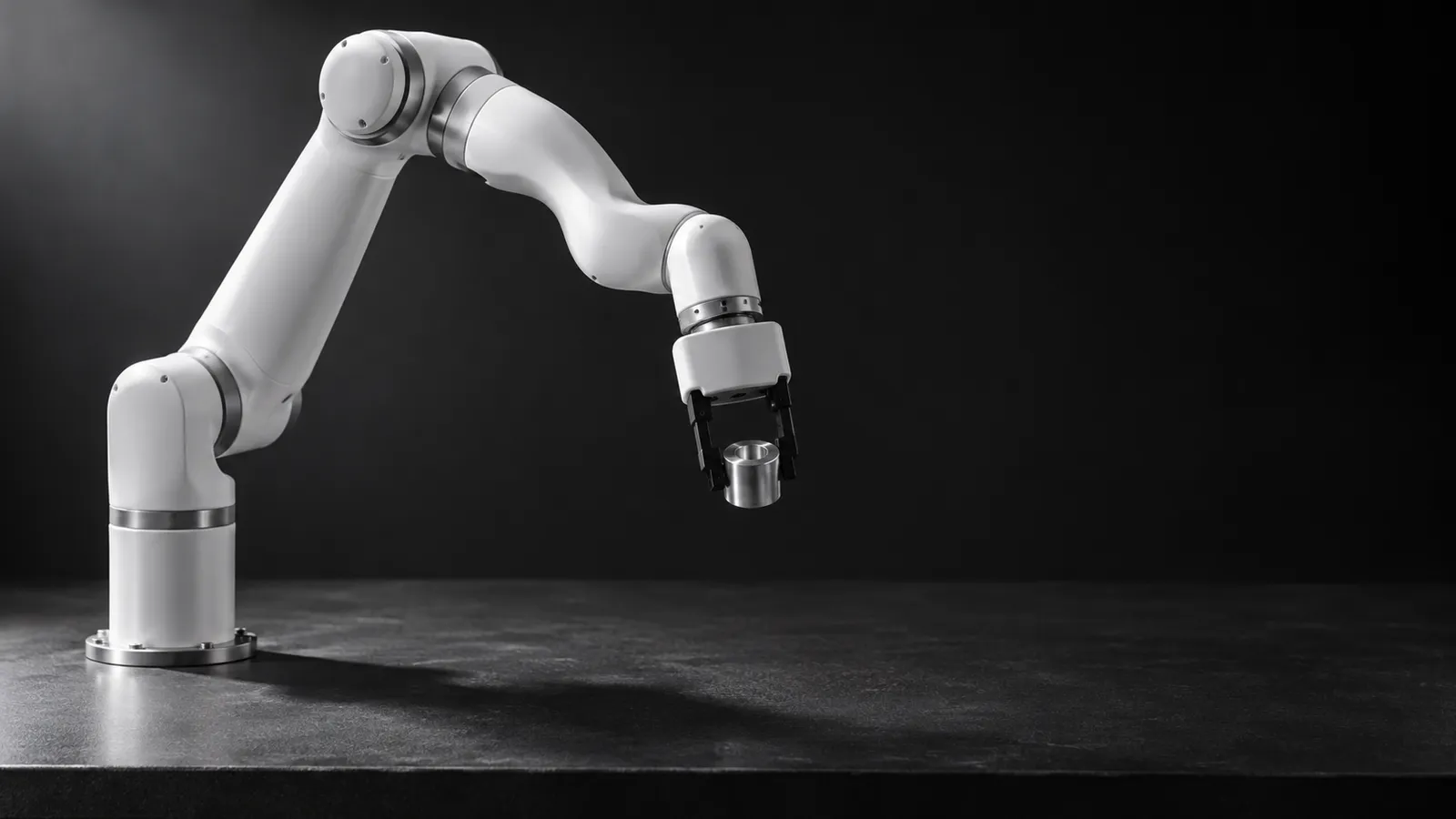
The xArm 6 is one of the most common arms in robot-learning labs: affordable, open SDK, ROS 2 out of the box. Getting precise, learnable demonstrations out of it is a different matter. Here is what works.
- Degrees of freedom
- 6
- Payload
- 5 kg
- Reach
- 700 mm
- Repeatability
- ±0.1 mm
- Max TCP speed
- 1 m/s (joints 180°/s)
- Arm weight
- 12.5 kg
- Robot communication
- Ethernet; RS-485 Modbus RTU at the tool
- Software
- Python and C++ SDKs, ROS / ROS 2, UFACTORY Studio
Updated
The UFACTORY xArm 6 sits in a sweet spot for robot learning: a 700 mm reach and 5 kg payload, ±0.1 mm repeatability, an open Python SDK and maintained ROS 2 packages, at a price a lab can buy several of. That is why it shows up in so many teleoperation setups. It is also why teams run into the same three problems with it: the input device, the control loop, and getting the data into a training pipeline.
Four ways to drive an xArm 6 remotely
Every option below ends at the same place: a stream of joint or Cartesian targets sent to the arm through the xArm Python SDK or the xarm_ros2 driver. What changes is how natural the operator's motion is, and how learnable the resulting trajectories are.
Leader arm (GELLO-style)
3D mouse or gamepad (Cartesian)
VR controllers or hand tracking
Keyboard and mouse
Why not just move the arm by hand? The xArm has a free-drive mode, which is gravity compensation with adjustable teach sensitivity, and kinesthetic teaching is a fine way to record coarse demonstrations. But a 12.5 kg arm being pushed by hand deflects and resists unevenly, and for tasks that need half-millimetre placement that error lands straight in your dataset. A leader arm or a 3D mouse keeps the operator's hand off the robot.
The control loop: servo modes, rates and latency
For teleoperation you want streaming control, not point-to-point moves. The SDK provides three families: servo streaming of joint angles (set_servo_angle_j) or Cartesian poses (set_servo_cartesian), joint and Cartesian velocity control (vc_set_joint_velocity, vc_set_cartesian_velocity), and online trajectory planning that re-plans smoothly when a new target arrives. Leader arms usually map to joint servo; 3D mice and VR map more naturally to Cartesian velocity. One catch: UFACTORY's servo mode guide recommends streaming at 50 to 200 Hz (250 Hz at most) and warns that below 50 Hz motion may not be continuous.
Most xArm learning setups record at 10 to 30 Hz, because that is what policies such as ACT, Diffusion Policy and smolVLA are typically trained at. That mismatch matters. If your policy or your recording loop runs at 20 Hz, either interpolate its targets up to 50 Hz or more on the robot side before calling servo mode, or switch to the online trajectory planning modes (6 for joints, 7 for Cartesian), where the controller plans between targets itself and the rate requirement is lower. At 20 Hz each control step is 50 ms, and that number also sets the latency budget for a remote operator:
Under ~50 ms round trip
~100 to 200 ms
Above ~250 ms
Two things narrow the gap. First, run the operator's client close to the robot over a VPN instead of streaming a remote desktop: remote desktop re-encodes and buffers the whole screen, which adds delay you cannot tune away. Second, keep a local loop on the robot side that clamps velocity and smooths targets, so a delayed command never turns into a jerk. More on budgets by task in our latency guide.
Getting xArm data into LeRobot
LeRobot itself does not include an xArm driver: its built-in robots are the SO-series, Koch, OpenArm, Reachy 2, Unitree G1 and a few others. UFACTORY fills the gap with its own plugin, lerobot_robot_ufactory, which connects xArm 6 and xArm 7 to LeRobot and ships teleop modes for GELLO, a SpaceMouse, the Pika handheld tracker and UMI. It pins a specific LeRobot release, so check it matches the version your training code uses. Teams with a custom setup (extra cameras, a depth sensor, their own gripper) often write their own Robot class around the xArm SDK instead; it is a few hundred lines, and after that LeRobot recording, visualization and training work as usual.
Observation
Action
Timing
Episodes
There is public xArm data to compare against: the Hugging Face Hub has hundreds of datasets that mention the xArm, including lerobot/utokyo_xarm_pick_and_place, a real-robot set ported from Open X-Embodiment. Our data collection guide covers formats and quality checks in more depth.
What a good xArm operator does differently
xArm 6, xArm 7 or Lite 6?
The xArm 7 adds a seventh joint, which gives the arm an elbow it can move without moving the gripper. It is useful for reaching around obstacles and for human-like bimanual setups, but it makes leader-arm mapping and inverse kinematics slightly more involved. The Lite 6 (600 g payload, 440 mm reach, ±0.5 mm repeatability per UFACTORY) is a cheaper desktop arm, good for teaching and coarse tasks but not for sub-millimetre work. For most single-arm manipulation datasets, the xArm 6 is the straightforward choice.
How RoboPilots runs xArm teleoperation
The arm stays in your lab. We agree the input device with you (your leader arm or 3D mouse, or one we set up), install the operator client on your side of a VPN, and train a dedicated group of operators on your unit and your task protocol before they record a single episode.
One-week trial
Coverage
Data
Interfaces, specs and sources
- xArm Python/C++ SDK
- ROS 2 + MoveIt 2
- GELLO leader arm
- SpaceMouse / gamepad
- UFACTORY Studio
- VR (custom)
Specs are the maker's published figures, checked on . RoboPilots is not affiliated with UFACTORY; product names are trademarks of their owners.
- UFACTORY xArm product page and specifications
- UFACTORY Lite 6 product page
- xArm Python SDK (GitHub)
- xarm_ros2: ROS 2 driver, MoveIt 2 and MoveIt Servo demo (GitHub)
- UFACTORY servo mode guide (control frequency)
- lerobot_robot_ufactory: UFACTORY's LeRobot plugin (GitHub)
- GELLO leader arm software (GitHub)
- LeRobot built-in robots (GitHub)
- lerobot/utokyo_xarm_pick_and_place dataset (Hugging Face)
Frequently asked questions
- Can you teleoperate an xArm 6 with a leader arm?
- Yes. GELLO, the open-source low-cost leader arm, lists the xArm among its supported robots and drives it through the xArm Python SDK. A leader arm gives joint-for-joint control, which produces the most natural demonstrations for imitation learning.
- Does LeRobot support the xArm 6?
- Not in LeRobot itself, but UFACTORY publishes an official plugin, lerobot_robot_ufactory, that connects the xArm 6 and xArm 7 to LeRobot with GELLO, SpaceMouse, Pika and UMI teleop modes. Teams with custom hardware often write their own small Robot class around the xArm SDK.
- Does the xArm 6 work with ROS 2?
- Yes. UFACTORY maintains xarm_ros2, with branches for Humble and Jazzy among others, MoveIt 2 configurations, a ros2_control hardware interface and a MoveIt Servo demo for jogging the arm with a SpaceMouse, gamepad or keyboard.
- What latency is acceptable for remote xArm teleoperation?
- For data recorded at 20 Hz, under about 50 ms round trip keeps fine work precise. Pick-and-place tolerates 100 to 200 ms. Above roughly 250 ms, direct control of fine tasks becomes hard and supervising a policy works better.
- Is the xArm 6 precise enough for sub-millimetre tasks?
- UFACTORY specifies ±0.1 mm repeatability, so the arm itself can do it. The usual limit is the demonstration: hand-guiding in teach mode adds deflection, and keyboard control produces one-axis-at-a-time motion. A leader arm or 3D mouse with a low-latency link gets much closer.