Robots · Robot arms
UFACTORY xArm 7 teleoperation: the seventh joint, GELLO, VR and bimanual data
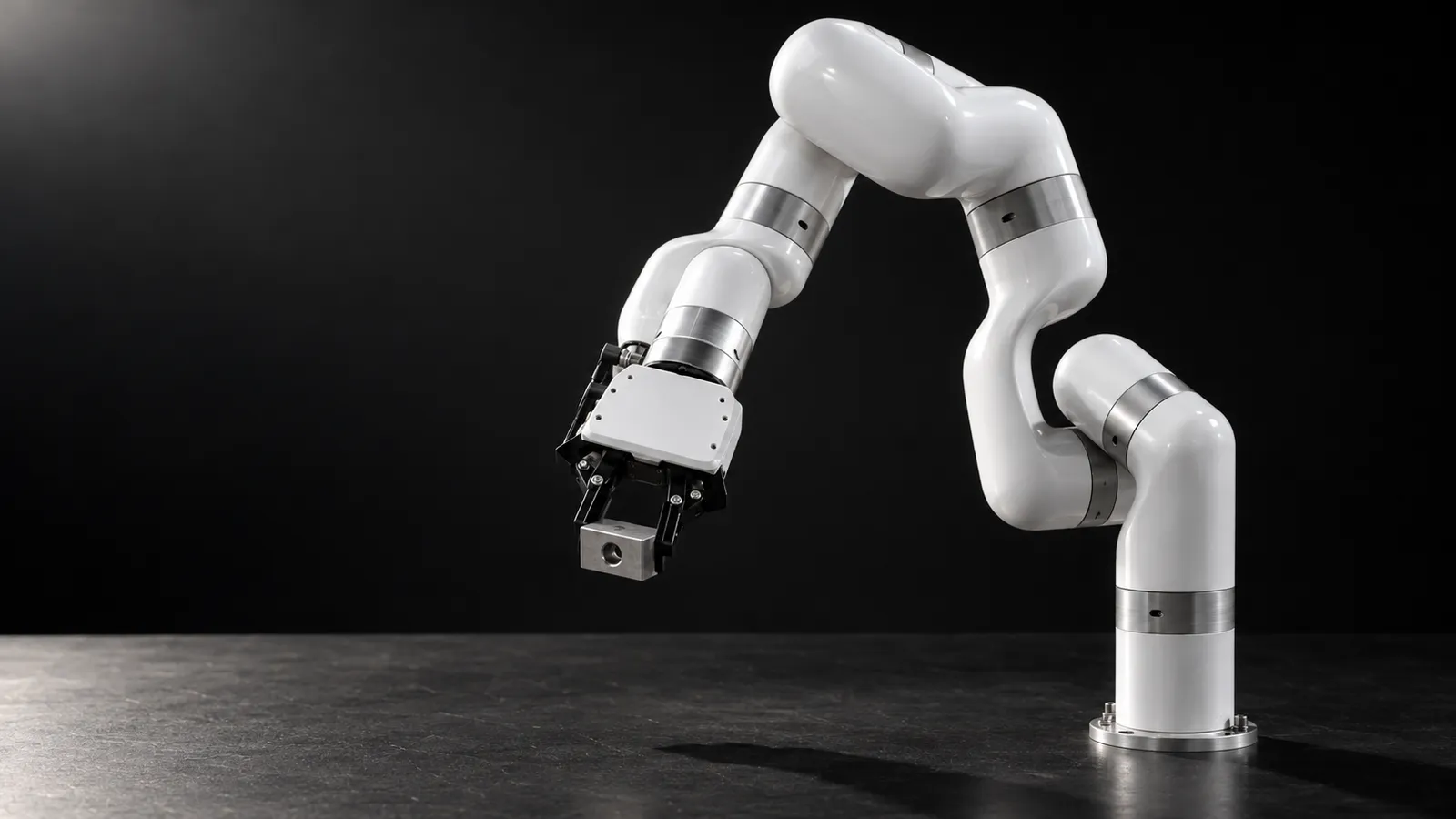
The xArm 7 is the 7-axis member of UFACTORY's xArm family and one of the three arms GELLO was first built for. The extra joint is worth having, but only if your teleoperation setup and your data treat it deliberately.
- Degrees of freedom
- 7
- Payload
- 3.5 kg
- Reach
- 700 mm
- Repeatability
- ±0.1 mm
- Max speed
- 1 m/s (joints up to 180°/s)
- Arm weight
- 14.3 kg
- Power
- 24 V DC; 200 W typical, 500 W max
- Robot communication
- Ethernet; RS-485 Modbus RTU at the tool
Updated
The UFACTORY xArm 7 shares its controller, SDK and ROS 2 packages with the xArm 6, and adds a seventh joint. UFACTORY rates it at 3.5 kg payload (against 5 kg for the xArm 6), 700 mm reach, ±0.1 mm repeatability and 14.3 kg. Robot-learning teams pick it for the same reason people have elbows: with seven joints the arm can keep its gripper still while it moves its elbow out of the way, which matters for reaching around objects, for human-like bimanual setups, and for mapping a human arm onto a robot arm.
What the seventh joint changes for teleoperation
A 6-axis arm has, in most poses, one joint configuration per gripper pose (or a handful of discrete ones). A 7-axis arm has a continuous family of them: the elbow can swing around a circle while the gripper stays put. That redundancy is useful and it is also the main source of inconsistent xArm 7 data.
Joint-space input fixes the elbow
Cartesian input leaves the elbow to the solver
Decide what the policy should own
Input devices that already support the xArm 7
GELLO (joint-space leader)
VR hand tracking (BEAVR)
Pika Sense, UMI and SpaceMouse
Servo mode or online planning?
The xArm controller offers several ways to stream motion, and UFACTORY's servo mode guide is explicit about the trade-off. Servo mode (mode 1) wants commands at 50 to 200 Hz, drops anything above 250 Hz, warns that motion may not be continuous below 50 Hz, and asks for consecutive Cartesian points no more than 10 mm apart. A new servo command cannot interrupt the motion in progress. Mode 7, Cartesian online trajectory planning, has the controller plan each move from the speed and acceleration you set, puts less load on the host and the network, and lets a new target interrupt the current motion immediately.
That maps neatly onto teleoperation. A GELLO leader read locally at 100 Hz or more suits joint servo mode. A remote operator, or a policy running at 15 to 30 Hz, is below servo mode's floor; either interpolate on a PC next to the arm to 100 Hz or more, or use mode 7 and let the controller smooth between targets. UFACTORY's Pika teleop defaulting to mode 7 is a good hint about which one they expect to work over imperfect links.
Latency for a remote xArm 7 operator
Under ~50 ms round trip
~100 to 200 ms
Above ~250 ms
Whatever the link, run the operator client on your side of a VPN rather than streaming a desktop, and keep velocity limits and collision sensitivity enforced on the robot side. Our latency guide covers budgets by task.
Accuracy, calibration and the URDF
UFACTORY specifies repeatability, not absolute accuracy, and that distinction shows up on 7-axis setups. In a GitHub issue a user reported an xArm7 shifting about 1 cm when rotating the end effector 90° in place. UFACTORY staff attributed it to manufacturing and assembly tolerances, noted that the real kinematics differ slightly from the URDF, and said they guarantee repeatability rather than absolute accuracy.
Use the calibrated model
Prefer joint-space labels when precision matters
Mirrored arms are separate models
LeRobot and data on the xArm 7
LeRobot has no built-in xArm driver. Two integrations fill the gap. UFACTORY's own lerobot_robot_ufactory registers a uf_robot type (plus a mock robot for testing), pins lerobot 0.6.1, supports GELLO, Pika, UMI and SpaceMouse teleoperation, and lists RealSense and UMI cameras. The community lerobot-robot-xarm plugin, listed on LeRobot's third-party robots page, covers the xArm series too.
For a public reference, panasonicai/xarm7_real_shaver_box_v2 is an xArm7 dataset in LeRobot format with 116 episodes, four cameras at 60 fps, and a π0.5 model listed as trained on it. BEAVR's recordings use the same LeRobot layout. Whatever you record, include all seven joint positions, the gripper or hand state, and every camera on one clock. Our data collection guide covers structure and quality checks.
Building a bimanual xArm 7 station
Two xArm 7s side by side are a common way to get human-like bimanual data without buying a humanoid. The pieces exist, but they are not all packaged together, so check each one before you commit to the layout.
Arm models
ROS 2 launch files
Teleop devices
One clock
What a good xArm 7 operator does
xArm 7 or xArm 6?
Choose the xArm 6 when you need the extra payload (5 kg against 3.5 kg) and want simpler kinematics, simpler IK and data that is easier to keep consistent. Choose the xArm 7 when the task needs reaching around obstacles, a human-like arm for bimanual or dexterous-hand work, or a GELLO-style leader that maps a person's whole arm. If you want torque sensing in every joint, the Franka Research 3 is the 7-axis alternative.
How RoboPilots runs xArm 7 teleoperation
The arm stays in your lab. We agree the input device and the control mode with you (joint servo with a local GELLO bridge, or mode 7 for Cartesian devices over a longer link), install the operator client on your side of a VPN, and train a dedicated group of operators on your unit and your task protocol, including the elbow posture rules, before any recorded episode counts.
One-week trial
Coverage
Data
Interfaces, specs and sources
- xArm Python/C++ SDK
- xarm_ros2 + MoveIt 2 / MoveIt Servo
- GELLO leader arm
- VR hand tracking (BEAVR)
- Pika Sense, UMI, SpaceMouse
- LeRobot (UFACTORY and community plugins)
Specs are the maker's published figures, checked on . RoboPilots is not affiliated with UFACTORY; product names are trademarks of their owners.
- UFACTORY xArm product page and specifications
- xarm_ros2: ROS 2 driver, MoveIt Servo and kinematic calibration (GitHub)
- UFACTORY servo mode guide
- UFACTORY ufactory_teleop (Pika Sense)
- lerobot_robot_ufactory (GitHub)
- LeRobot third-party robots and teleoperators
- GELLO project site
- BEAVR: bimanual multi-embodiment VR teleoperation (arXiv)
- xarm_ros issue #221: xArm7 deviating from target pose
- panasonicai/xarm7_real_shaver_box_v2 dataset (Hugging Face)
Frequently asked questions
- Does GELLO work with the xArm 7?
- Yes. The xArm7 was one of the three arms the original GELLO project built leader arms for, alongside the Franka and UR5. A 7-joint GELLO gives joint-for-joint control, including the elbow.
- Can you teleoperate an xArm 7 with VR?
- Yes. BEAVR, an open-source VR system, was tested on an xArm7 with a Meta Quest 3S and reports about 33 ms one-way latency at 30 Hz, with bimanual support and LeRobot-format recording. There is no official UFACTORY VR app.
- Does LeRobot support the xArm 7?
- Through plugins rather than a built-in driver. UFACTORY publishes lerobot_robot_ufactory, which pins lerobot 0.6.1 and supports GELLO, Pika, UMI and SpaceMouse teleop, and the community lerobot-robot-xarm plugin covers the series.
- What payload does the xArm 7 carry compared with the xArm 6?
- UFACTORY rates the xArm 7 at 3.5 kg and the xArm 6 at 5 kg, both with 700 mm reach and ±0.1 mm repeatability.
- How much does the xArm 7 cost?
- UFACTORY's xArm product page lists the series at US$5,799 to US$5,994 as of October 2026 and does not break the price out by model. Check the page or UFACTORY sales for the exact xArm 7 configuration.