Robots · Robot arms
UFACTORY Lite 6 teleoperation: streaming a desktop arm at policy rates, and when ±0.5 mm is not enough
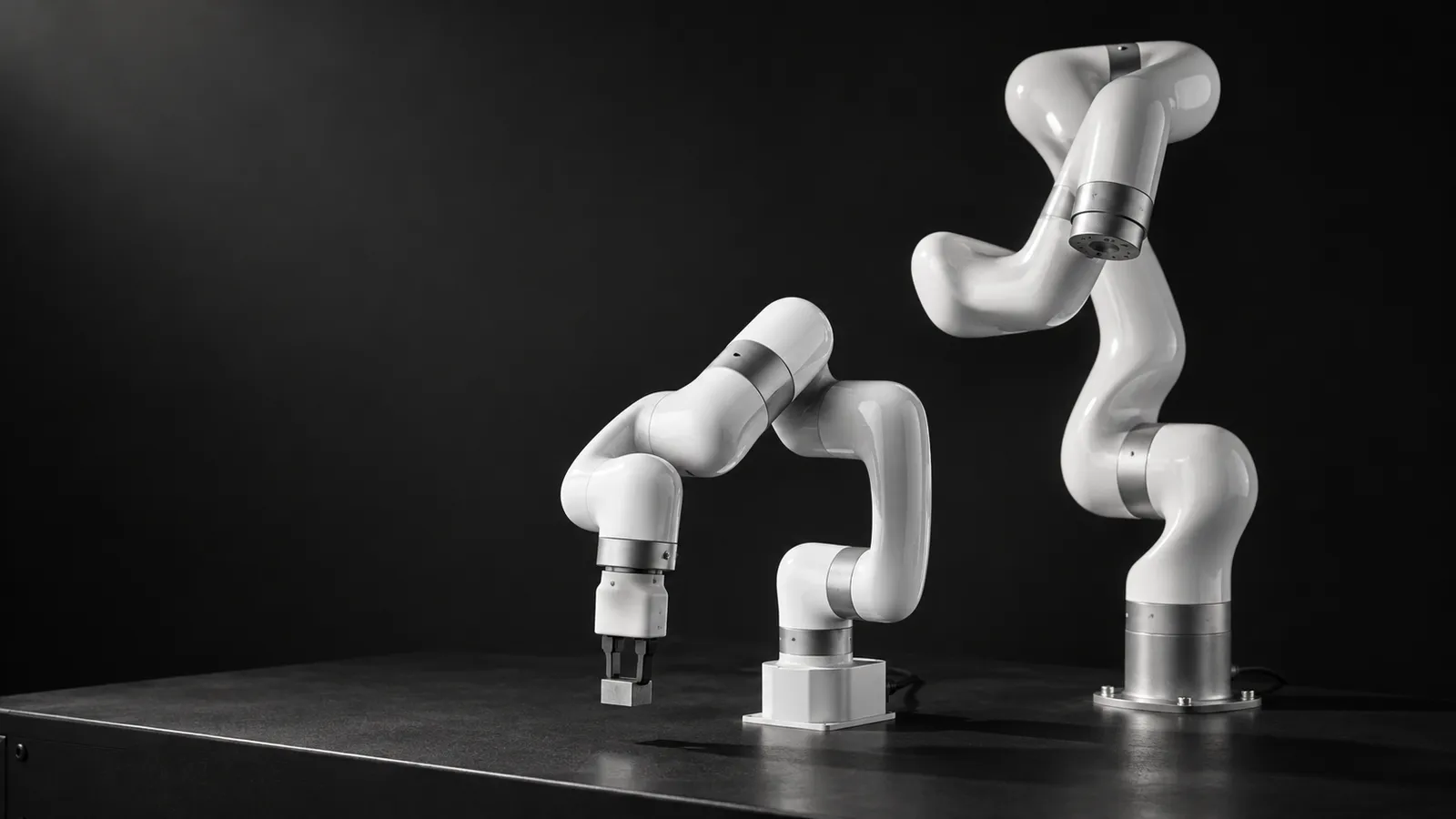
The Lite 6 is UFACTORY's smallest arm: 600 g, 440 mm, ±0.5 mm, on the same SDK and ROS packages as the xArm series. It is a cheap way into the xArm software world, with a few behaviors that matter once a remote operator or a policy is streaming commands to it.
- Degrees of freedom
- 6
- Payload
- 600 g
- Reach
- 440 mm
- Repeatability
- ±0.5 mm
- Speed
- 500 mm/s linear; joints up to 180°/s
- Arm weight
- 8 kg
- Controller and communication
- Built-in control box; Modbus TCP
- Software
- Python and C++ SDKs, ROS / ROS 2 packages, UFACTORY Studio
Updated
The UFACTORY Lite 6 is a 6-axis desktop arm with a 600 g payload, 440 mm reach and ±0.5 mm repeatability, an 8 kg body with its control box built in, and the same open Python and C++ SDKs and ROS packages as UFACTORY's larger arms. For a robot-learning team it is an inexpensive way to get an industrial-style arm on the bench and collect tabletop data on the xArm software stack. It also has three specific limits worth knowing before you staff it: how it handles streamed commands, what its hand-teaching mode can and cannot do, and where ±0.5 mm stops being good enough. UFACTORY's product page shows two different prices for it, so confirm the current one at quote.
How to drive a Lite 6 remotely
The Lite 6 is driven the same way as an xArm: the xArm SDK or the ROS packages send joint or Cartesian targets to the control box. Our xArm 6 page covers the input devices in depth. For the Lite 6 specifically:
GELLO-style leader
3D mouse or VR (Cartesian)
Hand teaching
Manual mode is current sensing, not force sensing
In an xarm_ros2 issue on Lite 6 impedance control, a UFACTORY maintainer explained that the arms have no integrated force/torque sensor: collision detection and manual mode come from motor current observation and a dynamic model, with friction compensated by an identified model that is "imprecise" but adequate for collision detection and manual mode. The maintainer also doubted the Lite 6 suits compliant control given its low joint torque and payload, and noted the third-party F/T sensor offered for other xArm models is too heavy for it.
For data collection that means two things. Kinesthetic demonstrations on a Lite 6 carry the error of a current-based estimate on top of the ±0.5 mm repeatability, so use a leader arm or a 3D mouse when placement matters. And do not plan contact-rich tasks that depend on the arm yielding gently. If you need compliance, a small tool-side F/T sensor is the route the maintainer suggested.
The control loop: servo mode, online planning and the Lite 6 speed trap
UFACTORY's servo mode guide recommends 50 to 200 Hz for servo streaming (mode 1), handles up to 250 Hz, and warns that below 50 Hz "the robot arm motion may not be continuous". Servo moves run at maximum speed and acceleration, ignore speed parameters, do not buffer (only the latest target runs), and each step should stay under 10 mm. The guide recommends a direct cable to the control box, network latency under 0.5 ms, and avoiding Windows hosts.
Most learned policies, and most teleoperation datasets, run well below 50 Hz. A Lite 6 user streaming an AI model through the ROS position controller hit exactly this: the arm exceeded its speed limit and needed a state reset, despite joint limits set in the YAML. A contributor explained that `move_servo_j` does no interpolation or saturation, so the application must smooth and limit speed itself. The maintainer's advice was to send full trajectories with velocities and timing (typically from MoveIt), or to use joint online trajectory planning (mode 6, `move_joint`), which has internal speed control.
Teleoperation at 20 to 30 Hz
Policy rollouts
Remote operators
Setting up a Lite 6 bench for remote operators
A local host on a short cable
UFACTORY Studio for recovery
One control mode, written down
Camera layout to match the work
Spares and lead time
Lite 6 data and LeRobot
The Lite 6 is not one of LeRobot's built-in robots. LeRobot's third-party list includes `lerobot-robot-xarm`, a community plugin for "the xArm collaborative arm series", whose README does not say which models it covers. UFACTORY's own integration pins `lerobot==0.6.1` and shows xArm 6 and 7 examples. In practice, teams either test one of these against a Lite 6 or write a small Robot class around the xArm SDK, with the interpolation described above inside it.
There is public Lite 6 data to compare against. ReubenLim/xarm_lite6_gripper_cube_in_box has 50 episodes and 46,763 frames at 30 fps in LeRobot format v2.1, with three cameras (side, front and a 640×360 first-person view) and a 7-value joint-plus-gripper state and action, under the robot type `xarm_lite6`. We deliver Lite 6 episodes as LeRobot, RLDS or HDF5; the data collection guide covers QA.
What a good Lite 6 operator does
When ±0.5 mm is not enough: Lite 6, xArm 6 or UFACTORY 850
The Lite 6's ±0.5 mm repeatability is fine for pick-and-place, sorting and most tabletop learning tasks. It is not enough for tight insertions or for tasks where the policy must place parts to a fraction of a millimetre. Within the same SDK, UFACTORY has two steps up. The xArm 6 specifies ±0.1 mm with 5 kg payload and 700 mm reach. The UFACTORY 850 specifies ±0.02 mm, 5 kg payload, 850 mm reach, up to 1 m/s and joints up to 180°/s, with a 20 kg arm, Ethernet to an included control box, and Modbus RTU at the tool. Its product page, like the Lite 6 page, shows two different prices.
A quick way to find out which side of the line your task is on: before collecting a single demonstration, replay one good trajectory twenty or thirty times and measure where the part ends up. If the spread is already close to your tolerance, no operator and no policy will fix it on this arm. If it is comfortably inside, the remaining error is in the demonstrations, which is a training and protocol problem we can work on.
A sensible pattern for a team on a budget is to prove the task and the operator protocol on a Lite 6, then move precision-critical tasks to an 850 or xArm 6 without changing the software stack. The operator skills carry over; the input-device mapping needs a re-check, because reach and joint limits differ.
How RoboPilots runs Lite 6 teleoperation
The arm stays in your lab. We agree the input device and the control mode (interpolated servo or online planning), install the operator client on your side of a VPN, and train a dedicated group of operators on your unit and your task protocol before the first recorded episode.
One-week trial
Coverage
Data
Interfaces, specs and sources
- xArm Python / C++ SDK
- ROS / ROS 2 packages
- UFACTORY Studio (browser)
- GELLO Lite6 parts (community)
- Community LeRobot integrations
- Hand teaching (manual mode)
Specs are the maker's published figures, checked on . RoboPilots is not affiliated with UFACTORY; product names are trademarks of their owners.
- UFACTORY Lite 6 product page
- UFACTORY 850 product page
- UFACTORY servo mode guide
- xarm_ros2 issue #62: Lite 6 impedance control
- xarm_ros issue #227: Lite 6 speed limit when streaming
- UFACTORY LeRobot integration (GitHub)
- LeRobot docs: third-party robots
- LeRobot built-in robots (GitHub)
- GELLO mechanical designs, including Lite6 (GitHub)
- ReubenLim/xarm_lite6_gripper_cube_in_box (Hugging Face)
Frequently asked questions
- Does LeRobot support the UFACTORY Lite 6?
- Not with a built-in driver. A community xArm plugin is listed on LeRobot's third-party page without naming the models it covers, and UFACTORY's own LeRobot integration shows xArm 6 and 7 examples. Many teams write a small Robot class around the xArm SDK.
- Why does my Lite 6 exceed its speed limit when streaming from a policy?
- Servo-mode joint commands are executed as they arrive with no interpolation or saturation. UFACTORY recommends 50 to 200 Hz for servo mode, or full trajectories with timing, or joint online trajectory planning (mode 6), which has internal speed control.
- Is the Lite 6 precise enough for sub-millimetre tasks?
- UFACTORY specifies ±0.5 mm repeatability, which suits most pick-and-place but not tight insertions. The xArm 6 specifies ±0.1 mm and the UFACTORY 850 ±0.02 mm on the same software stack.
- Does the Lite 6 have force sensing for hand teaching?
- No integrated force/torque sensor. A UFACTORY maintainer explained that manual mode and collision detection use motor current observation and a dynamic model, which is adequate for those uses but imprecise.
- Can I use a GELLO leader arm with a Lite 6?
- The GELLO mechanical repo includes Lite6 parts and instructions from a community contributor. GELLO's software talks to xArm robots through the xArm SDK, so expect some configuration for the Lite 6.