Robots · Robot arms
UR10e teleoperation: remote exception handling on 12.5 kg cells, now sold as the UR12e
Most UR10e arms are not collecting datasets. They are stacking boxes and loading machines, and they stop when something unexpected happens. This page is about getting a remote person to fix that safely, and about what the UR12e rename means for you.
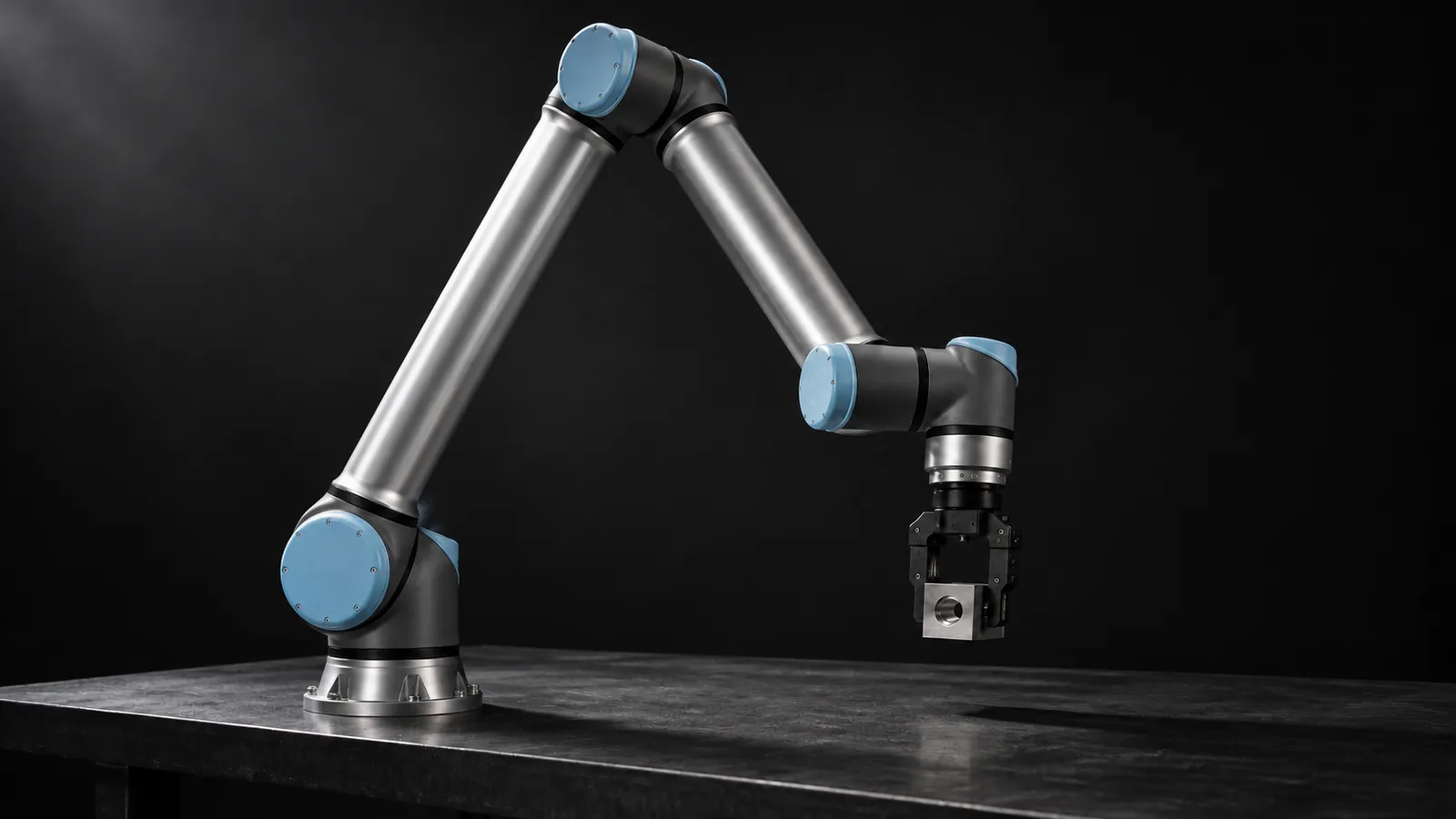
- Degrees of freedom
- 6 rotating joints
- Payload
- 12.5 kg
- Reach
- 1300 mm
- Repeatability
- ±0.05 mm (ISO 9283)
- Max TCP speed
- 4 m/s (base and shoulder ±120°/s, other joints ±180°/s)
- Weight
- 33.5 kg including cable
- Force/torque sensor
- Built into the tool flange, ±100 N and ±10 Nm range
- Safety
- 17 configurable safety functions, EN ISO 13849-1 PLd Cat 3
Updated
The Universal Robots UR10e is UR's long-reach e-Series cobot: 12.5 kg payload, 1300 mm reach, ±0.05 mm repeatability and a 33.5 kg arm, per UR's datasheet. It shares its controller, software and ROS 2 driver with the smaller UR5e, so the mechanics of streaming motion are the same. What differs is the job. A UR10e is usually running a program in a production cell, and the reason to teleoperate it is to let a remote person resolve the exceptions that would otherwise stop the line until someone walks over.
UR10e or UR12e: a rename, not a new arm
UR's e-Series page now lists a UR12e (on CB5, and as the UR12e-1300) at 12.5 kg, 1300 mm, ±0.05 mm and 33.5 kg, the same figures the UR10e datasheet gives. Robotiq's explainer is direct about it: the UR12e is mechanically and technically identical to the UR10e, the old name was misleading because it suggested a 10 kg payload, and existing systems need no functional updates. UR's own announcement for Vietnam presents the UR12e as an upgraded UR10e with a 12.5 kg payload.
In practice: URDFs, safety configurations and teleop setups built for a UR10e apply to a UR12e. The UR ROS 2 driver accepts both ur10e and ur12e as robot types; pick the one that matches the controller's identity so logs and configs stay honest.
What a remote operator actually does on a UR10e cell
Palletizing
Machine tending
Cleanup
The workflow that keeps this safe is always the same. The program detects the exception and pauses at a defined, safe point. It requests help. An operator connects, checks the cameras, and takes control through a dedicated part of the program. When the fix is done, control returns to the program at a known state. Nobody grabs a moving robot mid-cycle. More on this operating model on our warehouse and factory page.
Safety: the controller stays in charge
The UR10e has 17 configurable safety functions and complies with EN ISO 13849-1 (PLd, Category 3) and EN ISO 10218-1. A remote operator works inside that safety configuration and has no ability to change it. At 33.5 kg, 12.5 kg of payload and up to 4 m/s at the tool, this is a bigger, heavier arm than the cobots people picture, so the rules matter more here than on a tabletop arm.
Speed and separation are local
Anyone can stop it
Restarting is a procedure
Remote speeds are conservative
How the hand-over is wired
The UR ROS 2 driver runs through the External Control URCap, which lets ROS 2 behavior sit inside an ordinary robot program. That is exactly the shape of an exception workflow: the production program runs as usual, and an External Control node in its exception branch is where the remote operator gets control. When that node ends, the program continues. The driver's controllers cover the moves an operator needs:
scaled_joint_trajectory_controller
forward_velocity_controller
force_mode_controller
freedrive_mode_controller
For RTDE details, control rates and leader-arm options, the UR5e page covers the shared e-Series stack in depth.
Force-aware recovery: force mode, direct_torque and research setups
The UR10e's tool-flange force/torque sensor reads ±100 N and ±10 Nm. For many years UR's answer to joint torque control was no: a UR staff member wrote in 2020 that there was no method for setting joint torques and pointed to force mode. In the same forum thread, UR staff posted in March 2026 that PolyScope 10.11 and 5.24 add a built-in direct_torque() script function. That opens the door to compliant and admittance-style teleoperation on a stock controller, though most production recovery needs nothing more than force mode.
Research groups have built richer setups on the same arm. A 2025 paper from the University of Strathclyde describes a modular ROS 2 teleoperation system on a UR10e with a Robotiq 2F-85 gripper, a RealSense camera and vertically stacked force sensors that give the operator tactile-like feedback on alignment and contact. It is a useful reference if your recovery tasks involve delicate placement.
Latency for exception handling
Under ~100 ms round trip
~100 to 250 ms
Above ~250 ms
Response time often matters more than control latency. A cell that waits five minutes for an operator to notice the alert loses far more than one with a 200 ms link. Our latency guide covers budgets by task.
Recording recoveries as data
Every exception an operator resolves is a labeled example of a failure and its fix. Recording them (cameras, joint states, wrench, speed scaling and the operator's commands) gives you the material to improve the program, or to train a recovery policy later. LeRobot has no UR10e-specific integration; the three UR integrations on its third-party robots page target the UR5e, and adapting one means at least changing the robot model and limits. The same page lists two ROS 2 bridges, leros2 and lerobot_robot_ros2_zenoh, which fit naturally next to the UR ROS 2 driver.
For exception data, the labels matter as much as the streams. Tag each recovery with the exception type, the time from alert to operator connection, the time to resolve, whether someone on site had to help, and whether the program resumed cleanly. After a few weeks, that log tells you which exceptions to engineer out of the cell, which ones are worth training a policy on, and which ones will always need a person.
What a good UR10e operator does
UR10e, UR5e or FANUC CRX?
Choose the UR10e over the UR5e when the parts or the reach demand it: 12.5 kg and 1300 mm, against the UR7e rating of 7.5 kg and 850 mm on the smaller arm. The software is identical, so one operator team can cover both. The closest competitor on many lines is the FANUC CRX series, which uses a different controller and its own remote motion interfaces; operators trained on one need specific training on the other.
How RoboPilots runs UR10e exception handling
The cell stays exactly as your integrator built it. We work with you and whoever owns the cell's safety to define the exception points, the hand-over node, the cameras the operator needs, and who may restart after a protective stop. Then we train a dedicated group of operators on your unit and your procedures before they take a live exception.
One-week trial
Coverage
Data
Interfaces, specs and sources
- UR ROS 2 driver + External Control URCap
- RTDE
- Force mode and direct_torque
- Dashboard server
- PolyScope / URScript
- LeRobot via ROS 2 bridges
Specs are the maker's published figures, checked on . RoboPilots is not affiliated with Universal Robots; product names are trademarks of their owners.
- UR10e technical specification (Universal Robots datasheet)
- Universal Robots e-Series models (UR7e, UR12e)
- Universal Robots: UR7e and UR12e announcement (Vietnam)
- Robotiq: understanding the difference between UR10e and UR12e
- Universal_Robots_ROS2_Driver (GitHub)
- UR ROS 2 driver controllers
- Dashboard server, e-Series port 29999
- Universal Robots forum: joint torque control (direct_torque)
- Khedr and Yang (2025): modular teleoperation with force and visual feedback, UR10e (Strathclyde)
- LeRobot third-party robots and teleoperators
Frequently asked questions
- What is the difference between the UR10e and the UR12e?
- Nothing mechanical. Robotiq describes the UR12e as mechanically and technically identical to the UR10e, renamed because the old name suggested a 10 kg payload when the arm is rated for 12.5 kg. Existing software and accessories remain compatible.
- Can a UR10e be operated remotely?
- Yes. The usual setup is the UR ROS 2 driver with the External Control URCap placed inside the production program, so a remote operator gets control only at defined exception points while the controller's safety system stays in charge.
- Does the UR10e support torque control?
- UR staff stated in 2026 that PolyScope 10.11 and 5.24 add a built-in direct_torque() script function. Before that, force mode was the closest option, and it remains enough for most recovery tasks.
- Who can stop a UR10e when a remote operator is driving it?
- Anyone with access to an emergency stop, plus the cell's safety scanners and light curtains, which act on the controller directly. The remote operator can stop it too; restarting after a protective stop follows the site's procedure.
- What payload and reach does the UR10e have?
- Universal Robots specifies 12.5 kg payload and 1300 mm reach, with ±0.05 mm repeatability and a 33.5 kg arm weight.