Robots · Robot arms
Koch v1.1 teleoperation: Dynamixel leader arms, LeRobot recording and how it compares with the SO-101
The Koch v1.1 was one of the first arms LeRobot supported, and it is still built in. It costs more than an SO-101 and runs on Dynamixel servos instead of Feetech. Here is how to drive it, record it, and decide between the two.
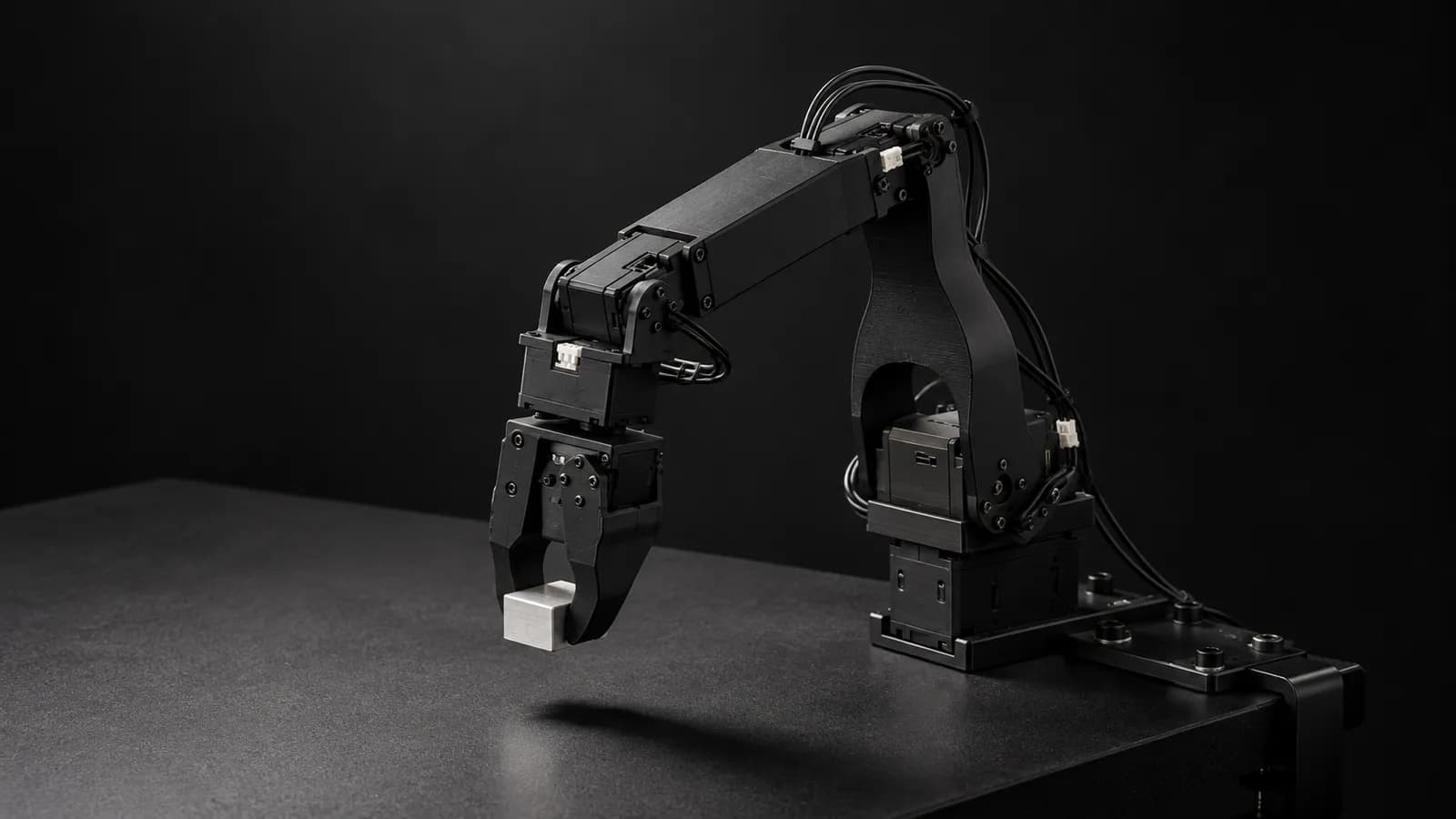
- Motors per arm
- 6 Dynamixel servos
- Leader servos
- 6 × XL330-M077-T
- Follower servos
- 2 × XL430-W250-T + 4 × XL330-M288-T
- Controller
- Waveshare serial bus servo driver board per arm, USB-C to the computer
- Power
- Leader 5 V; follower 12 V with a 5 V reducer (per the repo)
- Parts cost
- Listed at $199 (leader) and $278 (follower), US, on the koch-v1-1 repo as of October 2026
- Payload / reach / repeatability
- Not published
- License
- Apache-2.0
Updated
The Koch v1.1 is Jess Moss's revision of Alexander Koch's low-cost robot arm: a 3D-printed leader and follower on Dynamixel servos, designed to be easier to build than the original. It fixes screw interference and hole sizes, removes soldering and manual voltage-converter tuning, and adds a platform on the leader so the follower can pick objects off the ground. LeRobot supports it natively as `koch_follower` and `koch_leader`. Next to the SO-101 it is the more expensive and less documented option, but it brings Dynamixel servos and a few genuinely different behaviors that matter for teleoperation.
How the Koch leader/follower pair works
Each arm has six Dynamixel servos on a Waveshare serial bus servo board and connects to the computer over USB-C. The leader uses six light XL330-M077 servos; the follower pairs two XL430-W250 servos with four XL330-M288 servos for more torque where it is needed. In LeRobot, `lerobot-teleoperate` reads the leader's joint positions and sends them to the follower as targets, the same loop as every other built-in leader/follower arm.
The interesting part is the leader's gripper. LeRobot's Koch leader code disables torque on every joint except the gripper, puts the gripper in current-based position mode and holds it at `gripper_open_pos` (50 by default). In the code's words, that lets the operator use it "as a physical trigger": squeeze to close, release and it moves back open on its own. Operators get a gripper that resets itself between grasps, which makes grasp timing more consistent across episodes. The other leader joints run in extended position mode, which avoids the 0 to 4095 limit of the servos' default joint mode.
Build and setup traps
Two different power supplies
One motor at a time
Follow the docs over the video
Calibration
Control rate and latency
LeRobot's recording tutorial runs its leader/follower examples at 30 Hz with 640×480 cameras at 30 fps, and the public Koch datasets are recorded at 30 fps. Each step is about 33 ms. Both arms are USB serial devices, so the built-in loop assumes the leader is on the same computer as the follower. A remote operator therefore needs a bridge: the leader at the operator, its joint stream carried over a VPN, and the follower loop running on a host next to the robot.
Before going remote, set `max_relative_target` on the follower. In LeRobot's Koch follower config it defaults to None, so nothing limits how far one step can move. A per-motor cap turns a burst of delayed commands into a short, bounded motion. A follower slamming into the table on a network hiccup ruins the episode and loosens a printed build. More on budgets in our latency guide.
A workable remote bridge for a Koch pair keeps three things separate. The leader's joint positions are tiny messages and go to the robot host as they are produced. The cameras record on the robot host at full quality, because that is what goes into the dataset. The operator gets a separate, compressed preview of the same cameras, tuned for low delay rather than quality. Mixing the last two, by recording what the operator sees, is a common way to end up with a blurry dataset.
Choosing tasks that suit a Koch
With no published payload or precision figure, the Koch is best treated as a tabletop arm for light objects: blocks, small toys, cups, cloth corners, sorting into bins. The v1.1 leader platform is a real feature here, because it lets the follower reach objects on the ground in front of it, which widens the task set without moving the arm. Tasks to avoid are anything that leans on the follower with force, like pressing, wiping hard or inserting tight parts, and anything that needs the same sub-centimeter placement every time. If a task needs those, run a short test on the bench before you plan a dataset around it.
Data: the old Koch datasets and the new format
Recording works like any built-in LeRobot arm: `lerobot-record` writes a LeRobotDataset with defaults of 50 episodes, 60 s per episode and 60 s of reset, and the arrow keys end, redo or stop episodes from the terminal. The older public Koch data is worth a look before you mix it with yours. lerobot/koch_pick_place_5_lego has 50 episodes and 37,972 frames at 30 fps from two cameras named `laptop` and `phone`, but its robot type is recorded as "unknown" and its joints as `motor_0` to `motor_5`, where current recordings use named joints.
Check units before you merge. The Koch follower's `use_degrees` defaults to False, while the SO follower's defaults to True; both configs describe the setting as backward compatibility with previous policies and datasets. If a project mixes Koch and SO data, or old and new Koch data, compare joint names, units and ranges first, and convert deliberately.
LeRobot's guidance on content applies directly: at least 50 episodes for a first grasp-and-place task, about 10 per object location, fixed cameras, one consistent grasp strategy, and the object always visible. We deliver Koch episodes as LeRobot datasets by default, or as RLDS or HDF5. Our data collection guide has the QA checklist.
Two built-in tools catch most problems early. Teleoperating with `--display_data=true` streams cameras and joint values to Rerun, so a dead camera or a frozen joint is obvious before recording starts. And `lerobot-replay` plays a recorded episode back on the robot, which LeRobot describes as a way to test repeatability and transfer across robots of the same model. Replay one episode on every new Koch before it joins a fleet.
What a good Koch operator does
Koch v1.1 vs SO-101
Both are built into LeRobot, both use the same calibration and recording tools, and neither publishes payload or repeatability. The differences are practical:
Servos
Parts cost
Bimanual and HIL support
Units default
For a new single-arm project, the SO-101 is the more common starting point because of its price and its documentation. The Koch makes sense if you prefer Dynamixel servos, already have a Koch dataset to extend, or like the spring-back trigger. When a task outgrows both, a maker-supported arm such as the Trossen WidowX AI keeps the same LeRobot record-and-train loop through a plugin.
If your lab runs both, treat them as two robots, not one. Keep a separate dataset per arm type, with its own robot type, joint names and units, and train on them together only on purpose. Operators move between the two easily, since both are joint-for-joint leaders driven by the same LeRobot commands, but the grippers feel different in the hand, because the Koch leader's gripper is held open under torque and springs back after every squeeze, which gives grasps a different rhythm. Give each operator a few warm-up episodes on whichever arm they did not use last, and leave those out of the dataset.
How RoboPilots runs Koch data collection
Your arms stay with you. We agree the input path (your Koch leaders with a network bridge, or a 3D mouse), set up the robot host on your side of a VPN, and train a dedicated group of operators on your units and your task protocol before the first recorded episode.
One-week trial
Coverage
Data
Interfaces, specs and sources
- LeRobot koch_follower / koch_leader (built in)
- Leader gripper as a spring-back trigger
- Dynamixel SDK
- Rerun live view
- Keyboard
Specs are the maker's published figures, checked on . RoboPilots is not affiliated with Jess Moss (after Alexander Koch's low-cost arm); product names are trademarks of their owners.
- koch-v1-1 hardware repo (GitHub)
- LeRobot docs: Koch v1.1
- LeRobot docs: imitation learning on real robots
- LeRobot Koch follower config (GitHub)
- LeRobot Koch leader code (GitHub)
- LeRobot built-in robots (GitHub)
- LeRobot docs: human-in-the-loop data collection
- lerobot/koch_pick_place_5_lego dataset (Hugging Face)
- SO-ARM100 / SO-101 hardware repo (GitHub)
- LeRobot SO follower config (GitHub)
Frequently asked questions
- Is the Koch v1.1 supported in LeRobot?
- Yes. LeRobot includes koch_follower and koch_leader types, so setup, calibration, teleoperation, recording and training work without a plugin.
- Koch v1.1 or SO-101: which should I build?
- The SO-101 has a lower listed parts cost, more documentation and built-in bimanual and human-in-the-loop support. The Koch v1.1 uses Dynamixel servos and has a spring-back leader gripper. Both use the same LeRobot tools.
- What servos does the Koch v1.1 use?
- The leader uses six Dynamixel XL330-M077-T servos. The follower uses two XL430-W250-T and four XL330-M288-T servos.
- What power supply does the Koch v1.1 need?
- The repo specifies a 5 V supply for the leader and a 12 V supply with a voltage reducer for the follower. Each arm has its own Waveshare servo board.
- Can I run two Koch arms bimanually in LeRobot?
- LeRobot's built-in robots do not include a bimanual Koch type, unlike the SO-series. Two-arm Koch setups need custom code.