Robots · Robot arms
SO-101 teleoperation: leader arms, 30 Hz recording and scaling past one desk
The SO-101 is LeRobot's flagship arm and the cheapest way into imitation learning. Getting one pair to record is a weekend; getting hundreds of consistent episodes out of several pairs is an operations problem.
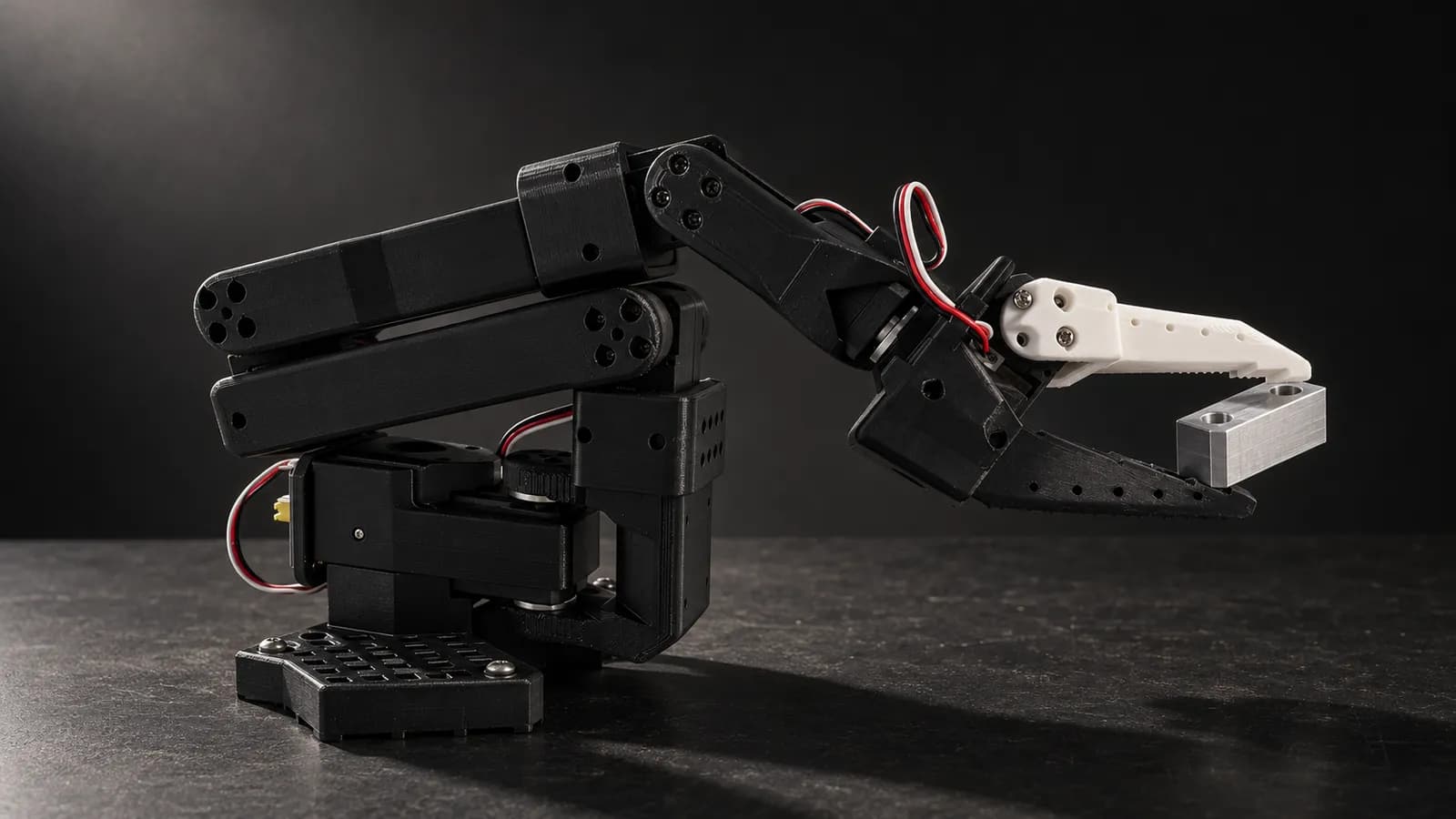
- Motors per arm
- 6 Feetech STS3215 bus servos (5 joints + gripper)
- Follower gearing
- 6 × 1/345
- Leader gearing
- 1 × 1/345, 2 × 1/191, 3 × 1/147, so it holds its own weight but moves easily
- Servo voltage
- 7.4 V standard; optional 12 V follower motors need a 12 V 5 A+ supply
- Connection
- USB to a bus servo adapter board per arm
- Parts cost
- Listed at $229.88 for a leader + follower pair (US, parts only, no 3D printing) on the SO-ARM100 repo as of October 2026
- Payload / reach / repeatability
- Not published by the maker
- License
- Apache-2.0 (hardware repo)
Updated
The SO-101 is an open-source 3D-printed arm co-designed by TheRobotStudio and Hugging Face, the successor to the SO-100 with improved wiring, easier assembly and new leader-arm motors. LeRobot's docs call it "our flagship robot", it is built into LeRobot as `so101_follower` and `so101_leader`. Its parts list comes to a few hundred dollars for a leader and follower pair. That low price is exactly why teams outgrow their first setup quickly: the arm is never the bottleneck. Operators, resets and consistency are.
How the SO-101 leader/follower pair works
Each arm has six Feetech STS3215 servos on a serial bus, connected to the computer over USB through a bus servo adapter. The follower uses six identical 1/345 motors. The leader mixes three gear ratios, 1/345 at the shoulder lift, 1/191 at the base and elbow, 1/147 at the wrist and gripper, so it can hold its own weight while staying light to move. The operator moves the leader by its handle and trigger; LeRobot reads the leader's joint positions and sends them to the follower as targets. There is no inverse kinematics anywhere in that loop, which is why leader-arm demonstrations come out smooth and natural.
Calibration is what makes this work across units: you move each arm to the middle of its ranges and then sweep every joint, so that the leader and the follower report the same values in the same pose. LeRobot's docs put it plainly: calibration "allows a neural network trained on one robot to work on another". On a fleet of arms, sloppy calibration is the most common reason a policy trained on one pair misbehaves on the next.
Other input devices
Leader arm (the default)
SpaceMouse
Phone or VR headset
Keyboard
Control rate and latency for remote SO-101 operators
LeRobot's recording tutorial runs the SO-101 loop at 30 Hz, with cameras at 640×480 and 30 fps in its examples: read the observation, read the leader, send the action, sleep until the next frame. At 30 Hz each step is about 33 ms. A remote operator on a 120 ms round trip sees the result of a move four steps late. Pick-and-place on an SO-101 tolerates that; fast, contact-heavy motions do not.
Remote operation is where the SO-101's simplicity becomes a constraint. Both arms are USB devices, so the built-in loop assumes the leader sits next to the follower. For an operator in another city you need a bridge: the leader at the operator, its joint stream sent over the network to the robot host, and the follower loop kept local. LeRobot's third-party list includes a LiveKit (WebRTC) teleoperator plugin built for exactly this kind of remote control; a 3D mouse or phone sending deltas is the lower-effort alternative. Whatever you choose, keep the robot host on the robot's network and avoid remote desktop. Our latency guide covers budgets by task.
Set `max_relative_target` before going remote. In LeRobot's SO follower config it defaults to None, meaning no cap on how far a single step can move. A late burst of commands then becomes a jump. A per-motor cap turns it into a short, bounded move.
Recording SO-101 data that trains
`lerobot-record` writes a LeRobotDataset (Parquet plus video) and pushes it to the Hugging Face Hub unless you pass `--dataset.push_to_hub=False`. The defaults are 50 episodes, 60 s per episode and 60 s of reset time. During a session, the right arrow (or n) ends an episode early, the left arrow (or r) throws it away and re-records, and Escape (or q) stops, encodes and uploads. Those keys also work from a terminal over SSH, which matters when the operator is not in the room.
How many episodes
Camera discipline
Reference data
Units
We deliver SO-101 episodes as LeRobot datasets by default, or as RLDS or HDF5 if your training stack needs them. The data collection guide has the full checklist.
Running several pairs at once
The cheapest way to more episodes per day is more SO-101 pairs, and the parts cost makes that practical. A few habits keep a multi-pair setup from turning into a mess:
One id per physical arm
Resume, do not restart
Plan the resets
Replay to check transfer
Human-in-the-loop corrections on an SO-101
Once a first policy works, the most useful data is often corrections rather than fresh demonstrations. LeRobot's HIL data collection mode (`lerobot-rollout --strategy.type=dagger`) runs the policy, lets the operator pause, take over to recover and correct, then hand back, all inside one recorded episode. It needs a teleoperator with active motors that can move to mirror the robot when paused, and the SO-101 leader (`so_leader`, or `bi_so_leader` for two arms) is on the compatible list. That pause-and-mirror step avoids the follower jumping to wherever the leader was left. For VLA models such as smolVLA, Pi0 and Pi0.5 the same mode runs with real-time chunking.
Common SO-101 failure modes
SO-101, Koch v1.1, or a step up
The Koch v1.1 is the other leader/follower arm built into LeRobot, on a different servo family. The SO-101 wins on parts cost and on how much of LeRobot's documentation, from calibration to smolVLA and HIL collection, is written around it. Neither publishes payload or repeatability. When a task needs a heavier object, a longer reach or a documented precision spec, the usual next step is an arm such as the Trossen WidowX AI, which keeps the same LeRobot record-and-train loop through a maker plugin and publishes 1.5 kg payload and 1 mm repeatability. The stack you learned on the SO-101 transfers; the operator protocol transfers too.
How RoboPilots runs SO-101 data collection
Your arms stay with you. We agree the input path (leader arms with a network bridge, or a 3D mouse), set up the robot host on your side of a VPN, and train a dedicated group of operators on your units and your task protocol before the first recorded episode.
One-week trial
Coverage
Data
Interfaces, specs and sources
- LeRobot so101_follower / so101_leader (built in)
- Bimanual bi_so_follower
- SpaceMouse (community plugin)
- Phone / WebXR VR (community plugin)
- Keyboard
- LeRobot HIL / DAgger rollouts
Specs are the maker's published figures, checked on . RoboPilots is not affiliated with TheRobotStudio and Hugging Face; product names are trademarks of their owners.
- SO-ARM100 / SO-101 hardware repo (TheRobotStudio, GitHub)
- LeRobot docs: SO-101 assembly and calibration
- LeRobot docs: imitation learning on real robots (teleoperate, record, train)
- LeRobot docs: SmolVLA
- LeRobot docs: human-in-the-loop data collection
- LeRobot docs: third-party robots and teleoperators
- LeRobot built-in robots (GitHub)
- LeRobot SO follower config (GitHub)
- lerobot/svla_so101_pickplace dataset (Hugging Face)
- LeRobot issue #3942: SO-101 gripper opens wide at teleoperation start
Frequently asked questions
- Is the SO-101 supported natively in LeRobot?
- Yes. LeRobot includes so101_follower and so101_leader types, plus a bimanual follower, so teleoperation, recording, training and rollout work with no plugin.
- What is the difference between the SO-100 and the SO-101?
- The SO-101 is the next-generation design, with improved wiring, easier assembly with no gear removal, and updated leader-arm motors. LeRobot marks the SO-100 docs as deprecated.
- What frame rate should I record SO-101 data at?
- LeRobot's examples and the smolVLA reference dataset use 30 fps. Pick one rate and keep it for the whole dataset.
- How many episodes do I need to fine-tune smolVLA on an SO-101?
- The smolVLA docs recommend about 50 episodes as a starting point, with enough demonstrations for each variation such as object position. They report that a 25-episode version was not enough.
- Can I teleoperate an SO-101 remotely?
- Yes, but the standard command expects the leader and follower on the same computer. Remote setups send the leader's stream, or a 3D mouse or phone, over the network to a robot host that runs the follower loop locally.