Robots · Robot arms
UR5e teleoperation: RTDE streaming, leader arms and remote help for the arm now sold as the UR7e
The UR5e is the cobot that shows up in research papers and on factory floors alike. Here is how to drive it remotely, record data from it, and keep its safety system in charge while someone else is at the controls.
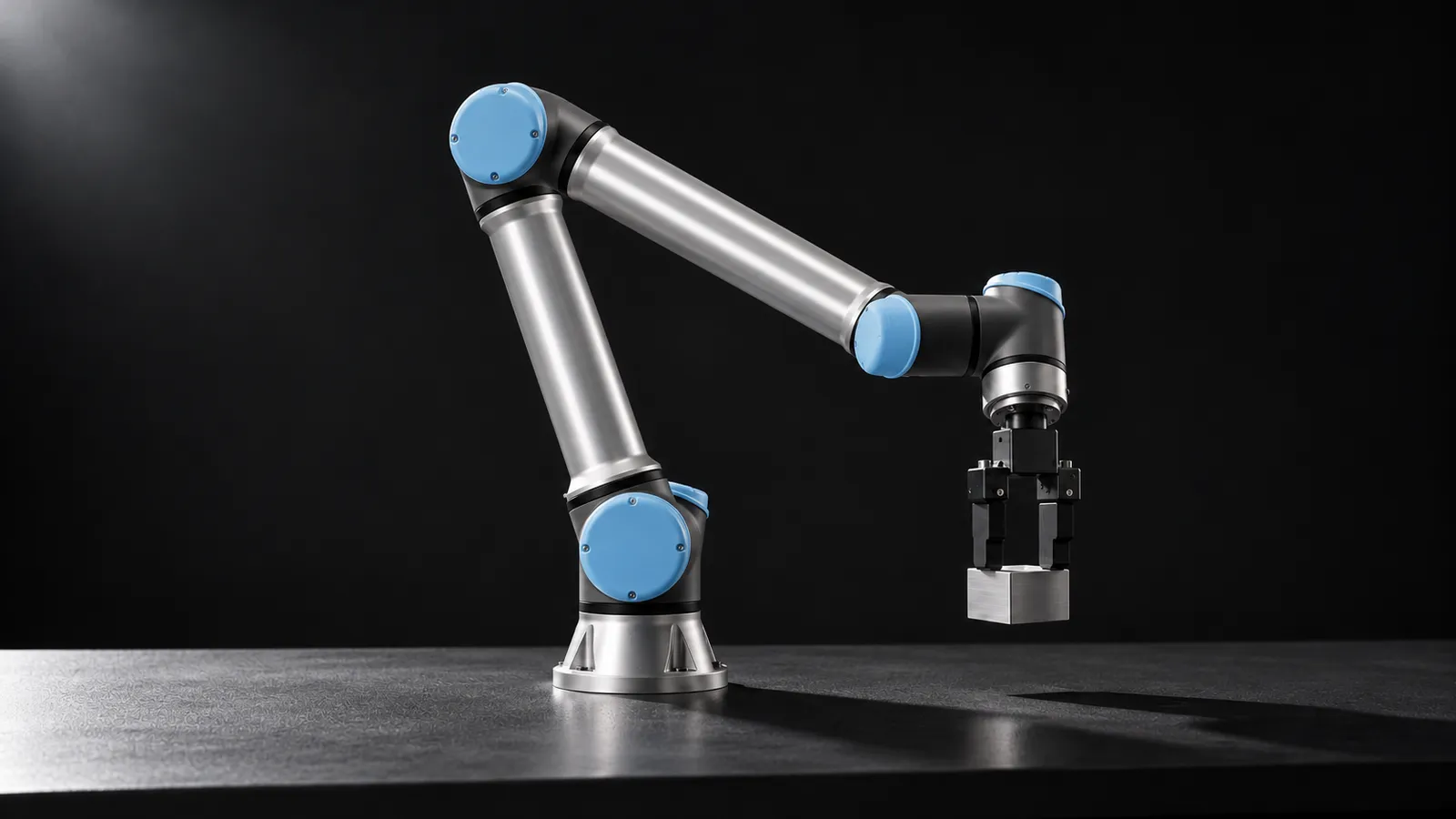
- Degrees of freedom
- 6 rotating joints
- Payload
- 5 kg (UR5e); 7.5 kg as the UR7e
- Reach
- 850 mm
- Repeatability
- ±0.03 mm (ISO 9283)
- Max TCP speed
- 4 m/s (joints ±180°/s)
- Weight
- 20.6 kg including cable
- Force/torque sensor
- Built into the tool flange, ±50 N and ±10 Nm range
- Safety
- 17 configurable safety functions, EN ISO 13849-1 PLd Cat 3
Updated
The Universal Robots UR5e is a 6-axis cobot with a 5 kg payload, an 850 mm reach and ±0.03 mm repeatability. Universal Robots says more than 90,000 of its cobots have been delivered, and the UR5e is the model that three separate community LeRobot integrations target. That gives it two teleoperation audiences: research teams collecting demonstrations, and plants that want a person to step in remotely when a program runs into something it cannot handle. Both start with the same question, because UR no longer sells it under that name.
UR5e or UR7e: what actually changed
UR's e-Series page now lists a UR7e where the UR5e used to be, and UR's own announcement for Vietnam describes the UR7e and UR12e as upgraded versions of the UR5e and UR10e, with payloads raised to 7.5 kg and 12.5 kg. Put the numbers side by side and the overlap is obvious:
UR5e (datasheet)
UR7e on CB5
UR7e-920
For teleoperation and data collection this matters in one place: configuration. The UR ROS 2 driver accepts ur5e and ur7e as separate robot types, and leader arms, URDFs and inverse kinematics should match the arm you actually have. Datasets recorded on a UR5e remain the closest public reference for a UR7e on CB5.
"UR5e remote control" means three different things
Remote Control mode on the pendant
Remote access to the pendant screen
Streaming motion from an external PC
How to stream motion to a UR5e
The RTDE interface exchanges data with the controller at up to 500 Hz on e-Series robots without breaking its real-time behavior. Two details catch people out. Connecting from an external PC requires enabling the RTDE service in the robot's security settings, and only one RTDE client can control a given input variable at a time, so a teleop client and a second tool cannot both write the same registers. If the controller is short of resources it skips output packages and sends only the most recent data.
The UR ROS 2 driver covers e-Series, PolyScope X and CB3 controllers, with release branches for Humble, Jazzy, Kilted and newer. It runs through the External Control URCap: you press play on an external_control program on the pendant (or use headless mode), and ROS takes over motion from inside that program. Its controller set is what makes it useful for teleoperation:
scaled_joint_trajectory_controller
forward_velocity_controller / forward_position_controller
force_mode_controller
freedrive_mode_controller
For joint-space teleoperation, the open-source GELLO leader arm already has UR5e code you can start from. The lerobot_ur5e_gello project pairs a GELLO leader with a UR5e and Robotiq gripper over RTDE, records LeRobot datasets, and serves π0 policies from a GPU server for inference.
Control rates and latency
The controller can take updates at 500 Hz, but nobody teleoperates at 500 Hz. The operator's device and the policy you train usually run at 10 to 30 Hz, and the PC next to the robot fills the gap by interpolating and clamping velocity. At 20 Hz a step is 50 ms, which sets the budget for a remote operator:
Under ~50 ms round trip
~100 to 200 ms
Above ~250 ms
Run the operator's client on your side of a VPN and stream targets, rather than streaming a remote desktop. Our latency guide has budgets by task.
Safety with a remote operator: the controller stays in charge
Per the UR5e datasheet, the arm has 17 configurable safety functions and complies with EN ISO 13849-1 (PLd, Category 3) and EN ISO 10218-1. A remote operator works inside that configuration and never edits it. The practical rules we apply on a UR cell:
Speed and separation stay local
Anyone can stop the robot; restarting is a decision
The program hands over, not the other way round
Typical exceptions on a UR cell are a part that landed in the wrong place, a regrasp after a slipped pick, or a fixture that jammed. Each one is a short teleoperated recovery, and each recovery can be logged as a correction episode for the next version of the program or policy. More on that model in our warehouse and factory page.
Data and LeRobot on a UR5e
LeRobot does not include a UR driver of its own, but its third-party robots page lists three UR5e integrations: lerobot_robot_ur5e, a drop-in plugin for a UR5e with a Robotiq gripper over RTDE; UR5e-LeRobot, an extension with single-arm and bimanual support; and lerobot_ur5e_auto, an extension for a mobile UR5e that records at scale with minimal supervision. The two extensions are marked as needing custom setup rather than working with an unmodified LeRobot install.
Record the wrench
Record the speed scaling
Fix the action space
For a public reference, lerobot/berkeley_autolab_ur5 is a LeRobot port of UC Berkeley Autolab's UR5 demonstrations: 1,000 episodes with three 640×480 camera streams, recorded at 5 fps. It is the older UR5, not the e-Series, and 5 fps is slower than most current policies expect, so treat it as a reference rather than a pretraining set. Our data collection guide covers formats and checks.
What a good UR operator does
UR5e, UR10e or a research arm?
The UR10e (now UR12e) uses the same software stack with 12.5 kg and 1300 mm, which suits palletizing and larger machine tending. For pure research data on contact-rich tasks, a torque-sensing 7-axis arm such as the Franka Research 3 gives joint-level torque feedback and a redundant elbow. The UR5e's strengths are an interface that is the same on the lab bench and the factory floor, and a software ecosystem (the ROS 2 driver, RTDE and three LeRobot integrations) that already exists.
How RoboPilots runs UR5e teleoperation
The arm stays where it is. We agree the input device with you (GELLO, 3D mouse or VR), install the operator client on your side of a VPN, and agree the hand-over points and stop rules with whoever owns the cell's safety. Then we train a dedicated group of operators on your unit and your task protocol before they touch a live cell or record an episode.
One-week trial
Coverage
Data
Interfaces, specs and sources
- RTDE (up to 500 Hz)
- UR ROS 2 driver + MoveIt 2
- MoveIt Servo (3D mouse, gamepad)
- GELLO leader arm
- LeRobot community plugins
- PolyScope / URScript
Specs are the maker's published figures, checked on . RoboPilots is not affiliated with Universal Robots; product names are trademarks of their owners.
- UR5e technical specification (Universal Robots datasheet)
- Universal Robots e-Series models (UR7e, UR12e)
- Universal Robots: UR7e and UR12e announcement (Vietnam)
- RTDE guide (Universal Robots docs)
- Universal_Robots_ROS2_Driver (GitHub)
- UR ROS 2 driver controllers
- Dashboard server, e-Series port 29999
- LeRobot third-party robots and teleoperators
- lerobot_ur5e_gello: UR5e and GELLO LeRobot plugins (GitHub)
- lerobot/berkeley_autolab_ur5 dataset (Hugging Face)
Frequently asked questions
- Is the UR7e the same as the UR5e?
- Universal Robots describes the UR7e as an upgraded UR5e with the payload raised to 7.5 kg. The UR7e on CB5 shares the UR5e's 850 mm reach, ±0.03 mm repeatability and 20.6 kg weight, while the UR7e-920 variant has a longer 920 mm reach.
- How do I control a UR5e remotely from a PC?
- Stream targets from an external PC through RTDE, which runs at up to 500 Hz on e-Series, or through the UR ROS 2 driver with the External Control URCap. Pendant Remote Control mode only decides whether network commands may load and start programs.
- Does LeRobot support the UR5e?
- Not with a built-in driver. LeRobot's third-party page lists three community UR5e integrations, including a drop-in RTDE plugin with Robotiq gripper support and an extension with bimanual support.
- Can you use a GELLO leader arm with a UR5e?
- Yes. Open projects such as lerobot_ur5e_gello pair a GELLO leader with a UR5e and Robotiq gripper over RTDE and record LeRobot datasets.
- Is it safe to let a remote operator drive a UR5e in a production cell?
- It can be, as long as the controller's safety configuration, scanners and emergency stops stay in charge and the site procedure defines who may restart after a protective stop. The remote operator works inside those limits and never changes them.