Robots · Drones
DJI Matrice 30T remote operations: keeping first-generation DJI Dock fleets flying
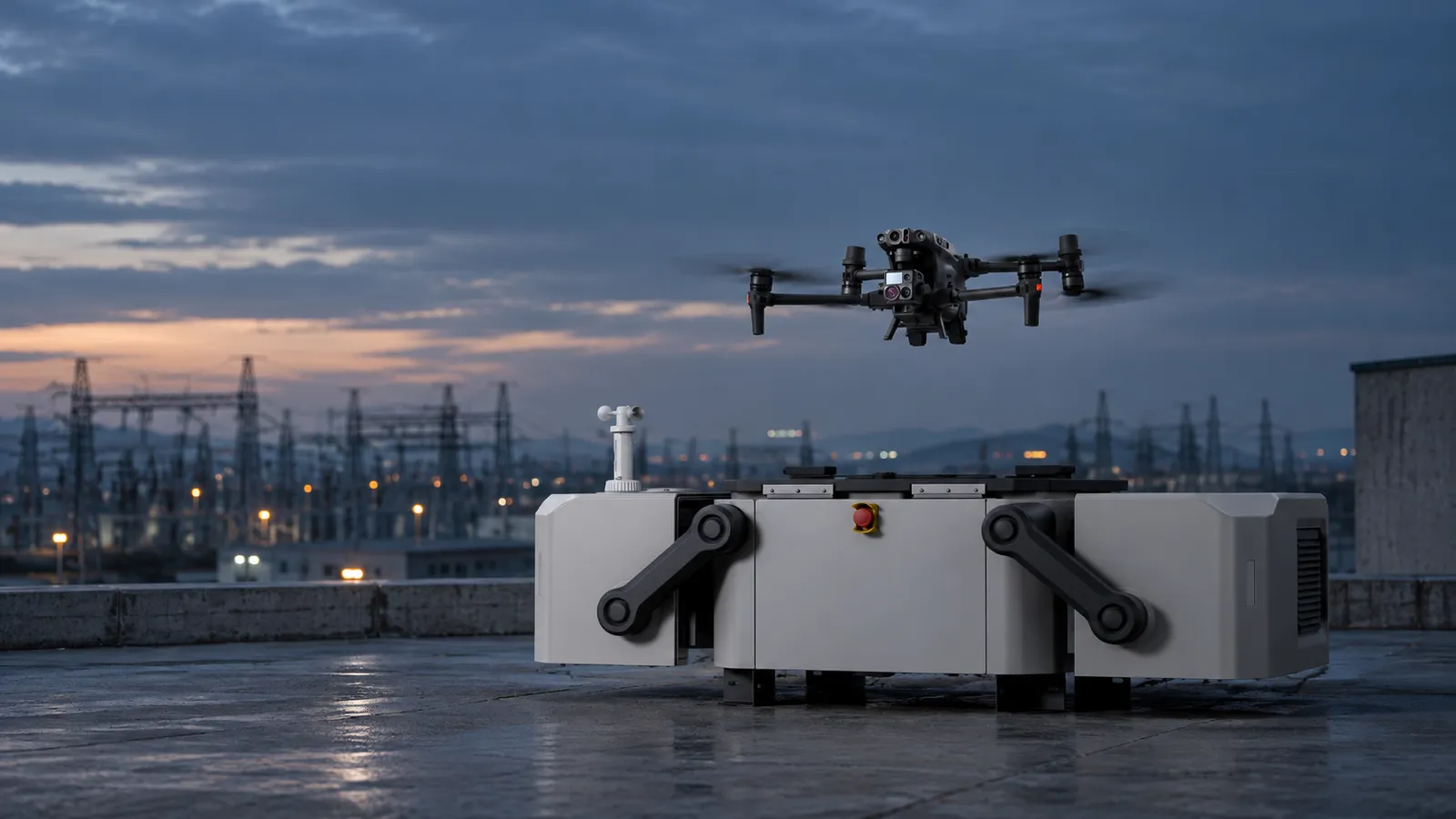
The M30 series and the original DJI Dock were DJI's first docked enterprise system, and the configuration its earliest FAA waiver baseline was built on. Owners can keep them flying for years. Here is how to run them well remotely.
- Versions
- M30 (wide, zoom, laser rangefinder); M30T adds 640 × 512 thermal
- Max takeoff weight
- 4069 g
- Max flight time
- 41 min (36 min hover)
- Protection and temperature
- IP55; -20 to 50 °C
- Laser rangefinder
- 3 to 1,200 m
- Video link
- O3 Enterprise, 15 km max (FCC)
- DJI Dock (original)
- 105 kg, IP55, -35 to 50 °C, 7 km radius, about 25 min charge 10% to 90%
- Dock compatibility
- M30 / M30T Dock versions only
Updated
The DJI Matrice 30 and 30T are 4 kg, IP55 enterprise aircraft with a wide camera, a 48 MP zoom, a 1,200 m laser rangefinder and, on the 30T, a 640 × 512 thermal camera. They were also the aircraft for DJI's first dock: the original DJI Dock houses one M30 Dock version, charges it, and launches missions programmed in FlightHub 2. Newer docks have arrived since, but owners of first-generation systems do not need to replace working hardware on a schedule. They need people who can keep it flying safely, supervise it remotely, and get the data out.
Two ways the M30 is flown remotely
Docked: M30 Dock version in a DJI Dock
Handheld: M30 with DJI Pilot 2
Dock versions are not interchangeable. DJI's M30 FAQ says the DJI Dock works only with the M30 Dock version and M30T Dock version, which have body differences from the regular aircraft. A regular M30 cannot be put into a dock to replace a lost Dock-version aircraft. A dock purchase includes one Dock-version aircraft, so a spare means buying another Dock version specifically, and keeping its firmware in step with the dock it may have to serve.
The original DJI Dock, by the numbers
DJI's Dock specs list a 105 kg dock, IP55, an operating range of -35 to 50 °C, a 7 km operating radius, a charge from 10% to 90% in about 25 minutes, a 12 m/s maximum landing wind and a backup battery that lasts more than 5 hours. The link to the aircraft is O3 Enterprise with four antennas, and the dock has its own RTK base station. Each dock accommodates one aircraft, so adding an aircraft means adding a dock, and the coverage plan is built dock by dock rather than aircraft by aircraft.
Those numbers set the shape of a Dock 1 operation. The 7 km radius defines the coverage plan and the reserve each route needs. The 105 kg weight makes a relocation a project rather than an afternoon. And on an older install, the remote pilot is also the first line of fault detection: cover, charging and climate problems show up as alarms or failed preflight checks before they ground a dock, if someone is watching.
Link and latency: what the remote pilot can do
The aircraft-to-dock hop runs on O3 Enterprise, with up to 15 km range under FCC rules for the aircraft in clean conditions. DJI does not publish an end-to-end latency figure for the original Dock with FlightHub 2, and the dock-to-pilot hop depends on the site's internet, the cloud and the pilot's own connection. In practice that means remote pilots run routes, respond with Fly To, and do slow manual repositioning and zoom work, leaving the aircraft's vision sensing (forward 0.6 to 38 m, other directions 0.5 to 33 m) and infrared sensing (0.1 to 10 m) to handle close obstacles. Our latency guide covers where delay starts to bite.
Cold weather and batteries: the M30's known limitation
The TB30 battery works from -20 to 50 °C, but DJI's M30 FAQ adds the details that matter: keep it above 18 °C before flight or let it self-heat to 18 °C, and expect a takeoff limit below 10 °C. Battery life shortens in the cold. For a handheld crew that means warm batteries in the vehicle; for a dock it means the climate control has to work and the remote pilot should watch battery temperature before accepting a winter launch. Off-dock, two TB30 packs charge on the BS30 station in about 30 minutes from 20% to 90%.
Data from the M30
Inspection and public safety imagery
Measurements
Not mapping
Logs and delivery
Running a Dock 1 / M30 fleet from a remote operations center
One-to-many supervision
Mission planning
Takeover
Airspace and visual observers
Data delivery
Health and maintenance
What a good Dock 1 pilot does differently
Handheld M30T crews with remote support
Not every M30 lives in a dock. Programs that run docks may also run handheld M30Ts, and the same operations center can support both. Because the M30 supports dual control, an on-site crew can split flying and camera work; with Pilot 2 connected to the cloud, a remote specialist can watch the live feed, mark targets for the crew and start reviewing thermal and zoom imagery before the aircraft lands. The handheld crew stays in command of its aircraft, and the remote desk adds the planning, the second set of eyes and the data handling that small crews rarely have time for.
The waiver baseline Dock 1 still carries
DJI's BVLOS resource library (December 2024) reports FAA approval for BVLOS waivers with visual observers up to 400 ft and standard shielding, typically flying about 50 ft above nearby obstacles, for FlightHub 2 with the M30 Series Dock version and the DJI Dock. That is the same type of baseline DJI reports for Dock 2. A waiver is issued to an operator with its own conditions, so the baseline is a starting point for your safety case, not a substitute for it.
Keep, extend or replace?
A working Dock 1 / M30 system has a reasonable runway: firmware updates continue to at least 2029 under the FCC waiver, and owned docks are not affected by the proposed sales cut-off. The case for moving to Dock 3 is a newer dock and aircraft generation, covered on its own page. The case for waiting is that the proposed FCC notice would end new sales of foreign docks after a wind-down if adopted, and some public agencies, as DroneXL has reported, are already budgeting for US-made replacements. Either way, the operations procedures you write for Dock 1 carry over.
US regulatory notes, as of October 2026
FCC
Proposed sales cut-off
BVLOS
This summarizes public sources, not legal advice.
How RoboPilots runs M30 and Dock 1 programs
Your docks, aircraft and platform stay yours. We train a dedicated group of Part 107 remote pilots on your docks, your sites and your waiver procedures before they fly a live mission, and they fly inside your approvals.
One-week trial
Coverage
Data
Interfaces, specs and sources
- DJI FlightHub 2
- DJI Cloud API (Dock and RC Plus)
- DJI Pilot 2
- Payload SDK
- Mobile SDK
- Dual control (handheld)
Availability: M30 aircraft and original DJI Docks already in service keep flying: the FCC Covered List action of 22 December 2025 does not ground owned equipment, and FCC notice DA 26-454 keeps firmware updates coming to authorized DJI devices until at least 1 January 2029. The proposed DA 26-758 (not final as of October 2026) would end import and sale of foreign docking stations and thermal drones after a wind-down. Check availability of new units with a dealer.
Specs are the maker's published figures, checked on . RoboPilots is not affiliated with DJI; product names are trademarks of their owners.
- DJI Matrice 30 Series FAQ
- DJI Matrice 30 Series specifications
- DJI Matrice 30 Series product page
- DJI Dock specifications
- DJI Cloud API: supported models (GitHub docs)
- DJI Cloud API: dock live flight controls (GitHub docs)
- DJI Enterprise: The Ultimate BVLOS Resource Library (Dec 2024)
- DroneDJ: FCC extends DJI and Autel firmware waiver to 2029 (May 2026)
- DroneXL: DJI's DFR dock playbook and the FCC proposal (Aug 2026)
- PickDrones: Part 108 BVLOS rule at OIRA (Sep 2026)
Frequently asked questions
- What is the difference between the M30 and M30T?
- The M30 has a wide-angle camera, a zoom camera and a laser rangefinder. The M30T adds a thermal imaging camera, at 640 × 512 or 1280 × 1024 in infrared super-resolution mode.
- Which M30 versions work with the DJI Dock?
- Only the M30 Dock version and M30T Dock version. DJI says regular M30 series aircraft are not compatible because the Dock versions have body differences.
- Does the Matrice 30 support SDKs?
- Yes. DJI lists the Payload SDK and Mobile SDK, and the Cloud API supports the M30 and M30T through both the DJI Dock and the DJI RC Plus with Pilot 2.
- Can TB30 batteries be used in low temperatures?
- They operate from -20 to 50 °C, but DJI recommends keeping them above 18 °C or self-heating to 18 °C, and a takeoff limit applies below 10 °C. Battery life is shorter in the cold.
- Can the Matrice 30 be used for mapping?
- No. DJI says the M30 series is not designed for aerial surveying and does not support accurate mapping.
- Is the original DJI Dock covered by a BVLOS waiver baseline?
- DJI reports FAA-approved BVLOS waivers with visual observers up to 400 ft and standard shielding for FlightHub 2 with the M30 Dock version and DJI Dock. Each operator still needs its own waiver.