Robots · Robot arms
KUKA LBR iiwa teleoperation: FRI, impedance modes and torque-sensing data
The iiwa has a torque sensor in every joint and a real-time interface that runs on the robot's network, not yours. Teleoperating it well means choosing the right FRI mode and smoothing what the operator sends.
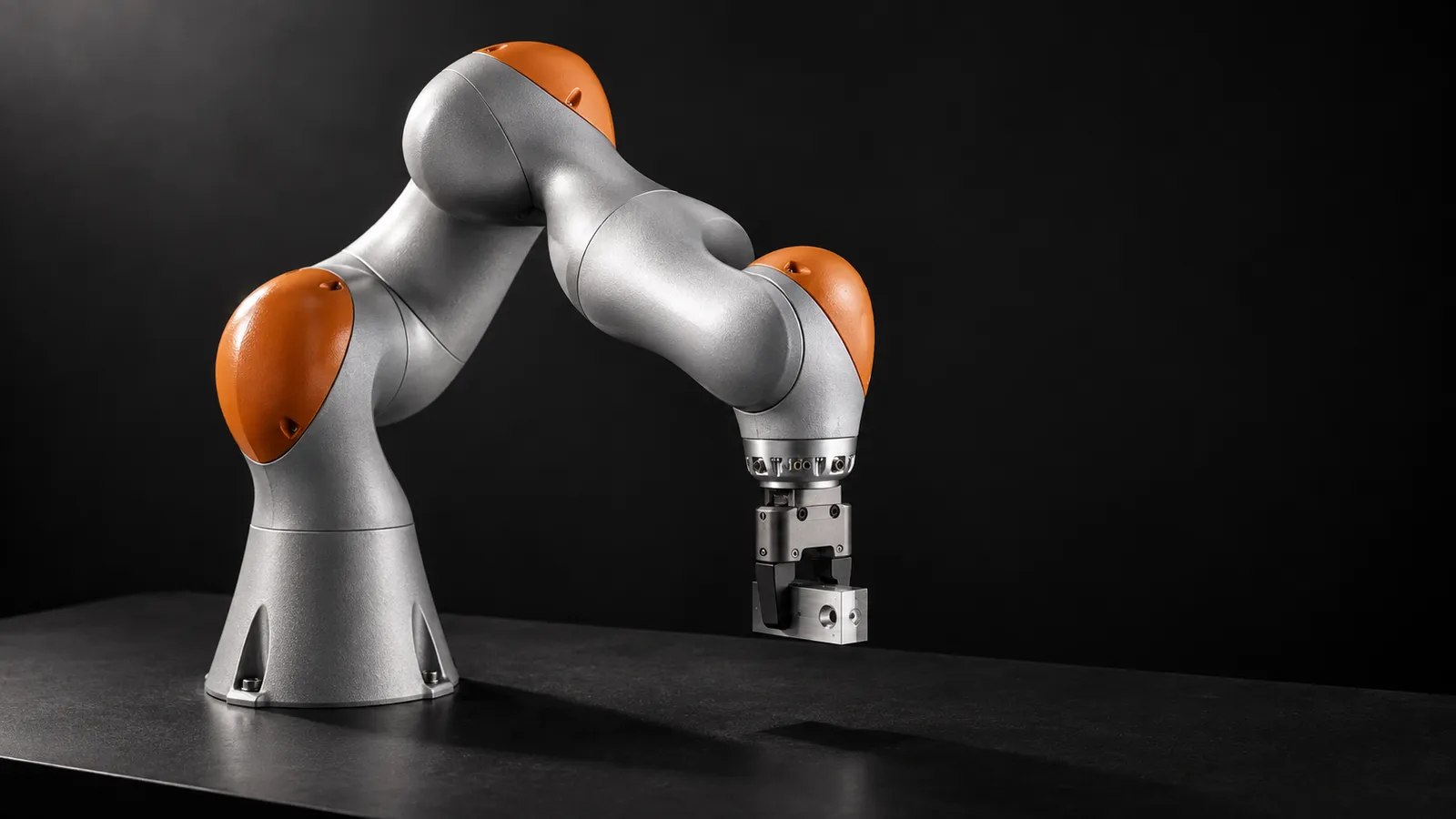
- Axes
- 7, with joint torque sensors in all seven
- Payload
- 7 kg (iiwa 7 R800) or 14 kg (iiwa 14 R820)
- Reach
- 800 mm (iiwa 7) or 820 mm (iiwa 14)
- Torque accuracy
- ±2% of maximum torque, per axis
- Protection
- IP54; cleanroom (CR) versions available
- Mounting
- Floor, wall or ceiling (CR versions: floor)
- Controller
- KUKA Sunrise Cabinet
- Real-time interface
- Fast Robot Interface (FRI) over UDP
Updated
The KUKA LBR iiwa is a 7-axis arm with joint torque sensors in all seven axes, sold in two sizes: the iiwa 7 R800 (7 kg, 800 mm) and the iiwa 14 R820 (14 kg, 820 mm). KUKA quotes an axis-specific torque accuracy of ±2% of maximum torque on its product page. It runs in factories doing sensitive assembly and in research labs doing contact-rich manipulation, and its medical sibling, the LBR Med, shares the same research software stack. For both audiences, remote operation comes down to the same two questions: which FRI mode to use, and how to keep the operator's commands smooth enough for a torque-controlled arm.
How the iiwa is driven from outside
The iiwa's controller, the KUKA Sunrise Cabinet, runs Sunrise.OS applications. External real-time control goes through the Fast Robot Interface, which the LBR-Stack documentation describes as KUKA's library for commanding the LBR over a UDP connection. Two open-source ROS 2 stacks build on it:
lbr_fri_ros2_stack
kuka_drivers
Setup checklist before anyone teleoperates
Network
Controller applications
The PC next to the robot
The remote side
FRI modes and send periods
An FRI session pairs a control mode on the robot with a command mode on the client. The LBR-Stack demo documentation gives three working combinations:
Position commands
Torque commands
Wrench commands
The advanced demos include an admittance controller that lets you guide the arm by pushing its end effector, and a variant with a remote center of motion, where the arm pivots around a fixed point, a constraint familiar from surgical robotics research. Both run in position mode with a 10 ms send period. Every demo page carries the same instruction: on hardware, always run in T1 mode first.
Smoothing: the iiwa teleoperation lesson
A March 2026 LBR-Stack issue is the clearest illustration of what goes wrong. A user teleoperating an iiwa from a VR device through the joint position command controller saw sudden joint jumps, then a driver crash that disabled the robot. The maintainer closed it as not a driver bug: the jumps were likely caused by the commands being sent. The suggested fixes were to raise the joint position command smoothing time constant (joint_position_tau, 0.04 by default in lbr_system_config.yaml), configure real-time priority for ros2_control, and check the Ethernet cable, which other users had found fixed latency problems.
The pattern for remote operation: the operator's device produces targets at 10 to 30 Hz with network jitter. A PC next to the robot, on the robot's own network, runs the 100 Hz or 500 Hz FRI loop, interpolates between targets, limits velocity and applies smoothing. FRI never crosses the internet, and the operator's device never sends raw targets straight into the joint position controller.
Latency for a remote iiwa operator
Under ~50 ms round trip
~100 to 200 ms
Above ~250 ms
Our latency guide covers budgets by task in more detail.
Safety in an industrial cell
KUKA positions the iiwa for direct work alongside people: its joint torque sensors let it detect contact and reduce force and speed. In a production cell, a remote operator works inside that behavior and inside the cell's safety configuration, never around it.
The safety configuration is local
T1 first, always
Stops win
Hand over at defined points
More on the remote exception-handling model on our warehouse and factory page.
KUKA data and LeRobot
LeRobot has no KUKA driver, and its third-party robots page lists no KUKA plugin; its ROS 2 bridges (leros2 and lerobot_robot_ros2_zenoh) are the shortest route from lbr_fri_ros2_stack to LeRobot datasets. There is plenty of KUKA data already in LeRobot format to compare against:
IPEC-COMMUNITY/kuka_lerobot
lerobot/stanford_kuka_multimodal_dataset
That last point is the opportunity. The iiwa measures torque in every joint. If contact matters to your task, record the joint torque readings alongside joint positions and cameras, and log the FRI control mode, stiffness and send period for every episode. Datasets that throw away the iiwa's torque signals throw away the reason for using an iiwa.
What a good iiwa operator does
iiwa, Med or iisy?
The LBR Med 7 and Med 14 are the medical versions; the LBR-Stack supports them alongside the iiwa, so research code moves between them. KUKA describes the LBR iisy as the iiwa's smaller sibling, running KUKA's newer iiQKA.OS rather than Sunrise.OS, which means a different driver path (kuka_drivers covers iiQKA). Check which controller and operating system your unit runs before you plan the software, because the teleoperation stack follows from it. If you are choosing between torque-sensing 7-axis arms for a research lab, compare the iiwa with the Franka Research 3, which is built around a 1 kHz FCI.
How RoboPilots runs iiwa teleoperation
The arm, its Sunrise Cabinet and the real-time PC stay on your network. We agree the FRI mode, smoothing and limits with your team and whoever owns the cell's safety, install the operator client on your side of a VPN, and train a dedicated group of operators on your unit and your procedures, starting in T1, before anyone operates live.
One-week trial
Coverage
Data
Interfaces, specs and sources
- FRI (Fast Robot Interface) over UDP
- lbr_fri_ros2_stack + MoveIt
- kuka_drivers (ROS 2)
- Sunrise.OS Java applications
- Admittance hand guiding
- LeRobot via ROS 2 bridges
Specs are the maker's published figures, checked on . RoboPilots is not affiliated with KUKA; product names are trademarks of their owners.
- KUKA LBR iiwa product page
- lbr_fri_ros2_stack (GitHub)
- LBR-Stack hardware setup
- LBR-Stack Python demos (FRI modes and send periods)
- LBR-Stack advanced demos (admittance control)
- lbr_fri_ros2_stack issue #382: FRI teleoperation instability
- kuka_drivers (GitHub)
- LeRobot third-party robots and teleoperators
- IPEC-COMMUNITY/kuka_lerobot dataset (Hugging Face)
- lerobot/stanford_kuka_multimodal_dataset (Hugging Face)
Frequently asked questions
- How do you teleoperate a KUKA LBR iiwa with ROS 2?
- Install the LBRServer application on the Sunrise controller and run lbr_fri_ros2_stack on a real-time PC on the robot's network. The operator's device sends targets to that PC, which smooths them and commands the arm over FRI.
- Why does my iiwa jump during teleoperation?
- The LBR-Stack maintainer attributes jumps like these to the commands being sent rather than the driver. Increase the joint position smoothing time constant, give ros2_control real-time priority, and check the network cable.
- Which FRI mode should I use for teleoperation?
- Position control with a 10 ms send period is the usual starting point. Joint or Cartesian impedance with torque or wrench commands at 2 ms suits research controllers that compute torques or forces locally.
- Does LeRobot support the KUKA iiwa?
- Not directly; there is no KUKA plugin on LeRobot's third-party list. ROS 2 bridges such as leros2 can connect lbr_fri_ros2_stack to LeRobot, and large KUKA datasets already exist in LeRobot format.
- What is the difference between the iiwa 7 and iiwa 14?
- KUKA rates the iiwa 7 R800 at 7 kg payload and 800 mm reach, and the iiwa 14 R820 at 14 kg and 820 mm. Both have seven axes with joint torque sensors in each.