Robots · Humanoids
Unitree G1 teleoperation: picking the right tier, hands and stack for clean humanoid data
The G1 is the humanoid most robot-learning labs actually own, and it has the largest open teleoperation ecosystem of any of them. Which version you buy, which hands you fit and which stack you record with decide whether that ecosystem works for you.
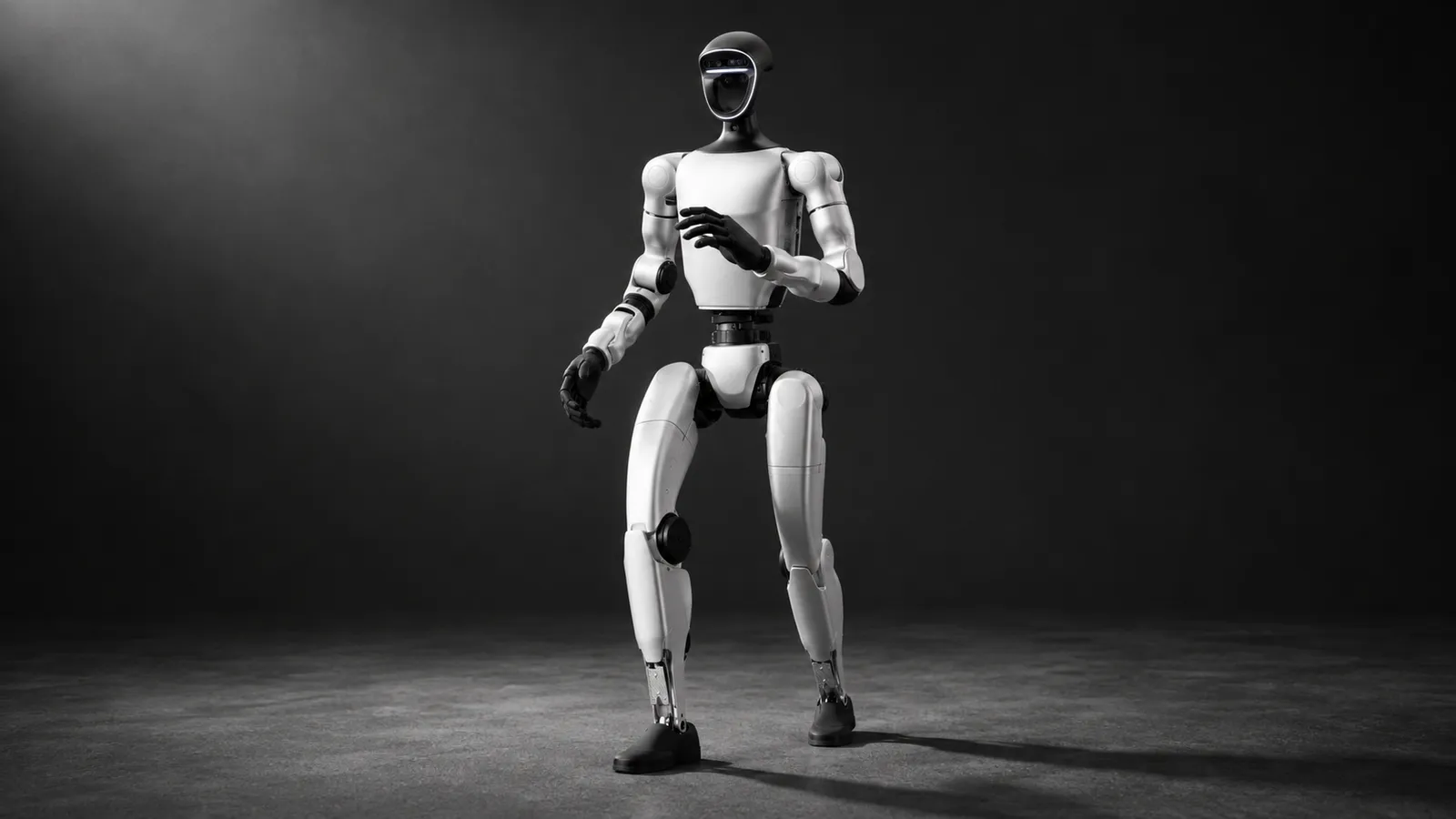
- Height
- 1,320 mm standing; 690 mm folded
- Weight
- About 35 kg with battery (EDU about 35 kg+)
- Degrees of freedom
- 23 (base); 23 to 43 (EDU, depending on hands, wrists and waist)
- Arm max load
- About 2 kg (base); about 3 kg (EDU)
- Battery
- 9,000 mAh quick-release pack, about 2 h
- Sensors
- Depth camera and 3D LiDAR
- Hands (EDU options)
- Dex3-1 three-finger hand, optional tactile arrays; Dex1-1 gripper, Inspire and BrainCo hands supported in xr_teleoperate
- Secondary development
- EDU only
Updated
The Unitree G1 is a 1.32 m, roughly 35 kg humanoid that folds to 690 mm and fits in a lab with no special handling. It is the default platform for humanoid manipulation research because Unitree publishes nearly everything around it: the SDK, ROS 2 messages, an XR teleoperation app, a LeRobot conversion pipeline and more than two hundred public datasets. That openness is also the trap. Teams buy the wrong version, mix hands mid-project, or record with a stack that was built for a demo rather than a dataset. This page covers the choices that matter before the first episode, and what it takes to keep operators producing clean data on a G1 every shift.
Which G1 you need: base versus EDU
The first question on every G1 forum thread is whether the base robot can be programmed. Unitree's own spec table answers it: secondary development is marked "YES" for the G1 EDU and left blank for the base model. The base G1 walks, poses and runs the moves Unitree ships; it is not the robot you teleoperate through your own code or record training data from.
Base G1
G1 EDU
What changes for teleoperation
As of October 2026, foreign-produced advanced robotic devices are on the FCC Covered List under FCC public notice DA 26-786 (July 28, 2026), unless the Department of War grants them a Conditional Approval. The FCC definition covers mobile robots, including humanoids, quadrupeds and autonomous mobile robots, that weigh over 4.4 lb with any base or dock and have a sensor, network connectivity and control software, when they do not qualify as US-made under the federal Buy American test, whatever the nationality of the maker. Covered models cannot receive new FCC equipment authorizations, which most devices need before they can be imported or sold in the US, while the FCC says models it authorized earlier can still be imported, sold and used; US buyers should confirm the current status with the seller.
How to drive a G1 remotely
Under every option sits the same plumbing. unitree_sdk2 (BSD-3-Clause, tested on Ubuntu 20.04 for x86_64 and aarch64) talks to the robot over CycloneDDS, and unitree_ros2 lets ROS 2 Foxy or Humble nodes use the same DDS messages without wrapping the SDK. On top of that, four teleoperation stacks are in common use.
xr_teleoperate (Unitree, upper body plus joystick walking)
LeRobot unitree_g1 (locomotion policy plus gamepad or exoskeleton)
NVIDIA Isaac Teleop with GR00T (Jetson Thor)
Exoskeleton cockpits (HOMIE)
Walking while you work: the locomotion policy and the joysticks
No G1 stack asks the operator to balance the robot. The legs run a policy, and the operator gives it direction and speed. In xr_teleoperate's `--motion` mode, which requires the robot to be in control mode via the R3 remote, the left joystick sets direction and the right sets turning. Pressing both joysticks at once triggers a soft emergency stop that drops the robot into damping. The README notes two limits worth putting in your protocol: motion mode supports only the robot's regular gait, not running mode, and maximum speed is capped in code.
This split is why most G1 data is effectively upper-body data with a locomotion command attached. The arms and hands carry the demonstration; the legs carry whatever the locomotion policy decided. That is fine for tabletop and shelf tasks. For tasks where the body matters, such as squatting to a low shelf or pushing a cart, you want a stack that records the lower-body command as part of the action: HOMIE's pedal, the Homunculus exoskeleton in LeRobot, or a whole-body controller such as GR00T's.
Hands or grippers
The G1 EDU supports more end effectors than any other humanoid in its class, and that is a decision you make once. xr_teleoperate drives the Dex1-1 gripper, the Dex3-1 three-finger hand (3 active DoF in the thumb, 2 each in the index and middle fingers, tactile arrays optional), Inspire hands and the BrainCo hand. Each one changes the action vector, and unitree_IL_lerobot treats each as a separate robot type (Unitree_G1_Dex1, Unitree_G1_Dex3, Unitree_G1_Inspire, Unitree_G1_Brainco).
Gripper (Dex1-1)
Dexterous hand (Dex3-1, Inspire, BrainCo)
Do not change hands halfway through a dataset. A policy trained on a mix of Dex1 and Dex3 episodes sees two different action spaces under one task name. If you need both, record them as two datasets with two robot types.
Latency: what the stacks assume about your network
Unitree's stacks are built for an operator in the same room. xr_teleoperate expects the headset and the host on the same network, serves the teleop page on port 8012, and streams the head camera from PC2 over WebRTC. LeRobot's docs say the client can run over Ethernet, over Wi-Fi (marked experimental) or on the robot itself, and warn you to mind the latency your network adds. Unitree's maintainers note that running xr_teleoperate on PC2 itself can slow IK solving because of the limited compute.
For a remote operator that means two loops. The fast loop stays local: the locomotion policy, the IK solver and the safety limits run next to the robot. The slow loop crosses the network: the operator's head and hand poses go out, video comes back. Below roughly 100 ms round trip, hand-tracked manipulation feels direct. Between 100 and 200 ms, operators slow down and over-correct on fine grasps. Beyond that, walking with the joystick still works but dexterous work suffers, and supervising a policy is the better use of the operator. Our latency guide breaks this down by task.
From episode to policy: the G1 data pipeline
Record
Clean and convert
Train and evaluate
Or stay inside LeRobot
There is a lot of public G1 data to benchmark against. Unitree's Hugging Face organization holds 205 datasets, including a G1 Dex1 series and a 13-item UnifoLM G1 Dex3 collection, and the unifolm-wbt collection adds 55 G1 sets with tasks such as making a bed and pushing a wheelchair. The org page does not state a license, so check each dataset card before you train a commercial model on it. Our data collection guide covers formats and quality checks.
What a good G1 operator does
Takeover and fallback on deployed G1s
Once a policy runs on the G1, the operator's job changes from demonstrating to supervising. The same stack that recorded the data becomes the takeover channel: the policy asks for help or a monitor sees it stall, an operator takes control through xr_teleoperate or the GR00T stack, finishes the step and hands control back. The safety tools you need are already in the stacks: the soft emergency stop in xr_teleoperate's motion mode, and the safety controller's blend ratio in NVIDIA's workflow, which hands control to the teleop command at 1.0 and removes it at 0.0. Each takeover is recorded and labeled as a correction episode. Our human-in-the-loop guide covers the escalation design.
G1 or a bigger Unitree?
The G1's size is both its strength and its limit. At 1.32 m with about 3 kg per arm on the EDU, it reaches a table and a low shelf, not a kitchen wall cabinet or a warehouse top rack. The full-size Unitree H2 is the step up for human-height work, and its page covers the specs and the price. Choose the G1 when you want many robots, the deepest open ecosystem and the most public data to compare against; choose the H2 when the task is built for an adult's reach.
How RoboPilots runs G1 teleoperation
The robot stays in your lab. We agree the stack with you (xr_teleoperate, LeRobot or your own), set up the operator link on your side of a VPN, and train a dedicated group of operators on your unit, your hands and your task protocol before anyone records an episode. Several humanoid makers have sent us robots to test our operating protocols, and that work shapes how we train operators for any new platform.
One-week trial
Coverage
Data
Interfaces, specs and sources
- unitree_sdk2 (C++ / Python)
- unitree_ros2
- xr_teleoperate (Vision Pro, PICO, Quest 3)
- LeRobot unitree_g1
- NVIDIA Isaac Teleop + GR00T
- Exoskeleton cockpits (HOMIE, Homunculus)
Availability: Buyable. The base G1 is listed at $13,500 by Unitree as of October 2026 (a "from" price, excluding tax and shipping). The G1 EDU, the only version Unitree opens to secondary development, is sold by quote through Unitree sales. US buyers: see the FCC note on foreign-produced robots (DA 26-786).
Specs are the maker's published figures, checked on . RoboPilots is not affiliated with Unitree; product names are trademarks of their owners.
- Unitree G1 product page and specifications
- xr_teleoperate (GitHub)
- unitree_sdk2 (GitHub)
- unitree_ros2 (GitHub)
- LeRobot documentation: Unitree G1
- unitree_IL_lerobot (GitHub)
- Unitree Robotics datasets and models (Hugging Face)
- Unitree unifolm-wbt dataset collection (Hugging Face)
- NVIDIA GR00T workflow: real-robot teleoperation on the G1
- OpenHomie: HOMIE exoskeleton cockpit code and license (GitHub)
- FCC public notice DA 26-786: foreign-produced robots added to the Covered List (July 28, 2026)
Frequently asked questions
- Can the base Unitree G1 be programmed, or do I need the EDU?
- You need the EDU. Unitree's spec table marks secondary development as available on the G1 EDU only, and every teleoperation and data stack for the G1 works through the SDK that the EDU opens.
- Which VR headsets work with the Unitree G1?
- Unitree's xr_teleoperate supports the Apple Vision Pro, PICO 4 Ultra Enterprise and Meta Quest 3. NVIDIA's Isaac Teleop workflow for the G1 uses a browser-based XR client, and its examples use a PICO headset.
- How do you walk a G1 while teleoperating the arms?
- The robot's locomotion policy keeps balance and the operator steers it with joysticks. In xr_teleoperate's motion mode the left stick sets direction, the right stick sets turning, and pressing both triggers a soft emergency stop.
- Does LeRobot support the Unitree G1?
- Yes. LeRobot supports the 29-DoF and 23-DoF G1 for teleoperation, recording and training, with GR00T or Holosoma locomotion controllers. Unitree also maintains unitree_IL_lerobot to convert xr_teleoperate recordings to LeRobot datasets.
- Can I run xr_teleoperate on the G1 itself?
- Yes, there is a headless mode for PC2. Unitree's maintainers note that the onboard compute can slow IK solving and other heavy tasks slightly, so many teams run the host on a separate PC.
- Can a company use HOMIE for commercial G1 data collection?
- Not under its published license. HOMIE is released under CC BY-NC-SA 4.0 and its README forbids commercial use, so commercial teams should use another cockpit or contact the authors.