Robots · Home robots
Amazon Astro teleoperation: remote driving, live view and what it teaches about privacy
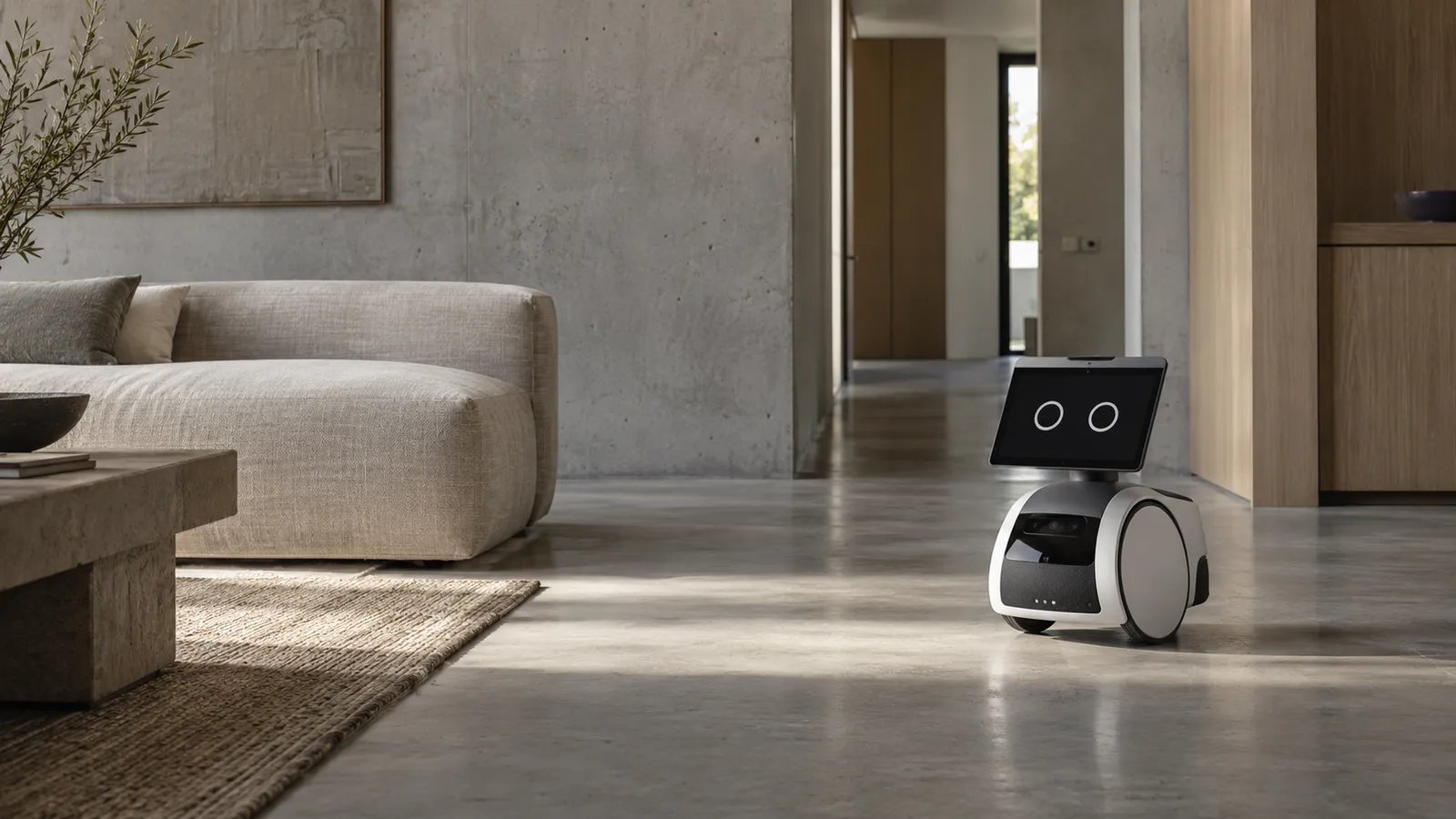
Astro has no arms and does no chores, but it is the home robot with the longest public record of remote operation: owners drive it from their phones, and Amazon had to design how that looks to everyone else in the house.
- Size
- 16.7 x 9.8 x 17.3 in (424 x 250 x 440 mm)
- Weight
- 20.6 lb (9.35 kg); charger 3.9 lb
- Periscope
- Extends up to 42 in from the floor
- Cameras
- 5 MP bezel camera; 1080p periscope camera, 157.8° diagonal FOV
- Display
- 10.1 in HD touchscreen, 1280 x 800
- Compute
- 2x Qualcomm QCS605, 1x Qualcomm SDA660, Amazon AZ1 Neural Edge
- Charging
- About 45 minutes on the included charger
- Connectivity
- Dual-band Wi-Fi 802.11a/b/g/n/ac, Bluetooth
Updated
Amazon Astro is a small wheeled robot with a screen, a periscope camera and Alexa, sold by invitation since 2021. It cannot pick anything up. What makes it relevant to anyone building chore robots is that it has spent five years as a remotely driven camera in people's homes. Owners open the Astro app, see through its cameras and tap where they want it to go. Amazon had to decide how the people in the house know someone is looking, what stays on the robot, and what goes to the cloud, and it wrote those answers down in detail. This page covers how Astro is driven remotely, what Amazon says about its data, what it can and cannot do, and what its design suggests for robots that will one day have arms and remote operators.
Can you buy an Astro?
Only by invitation. The Amazon listing reads "Available exclusively by invitation" and lets you request an invite; it did not show a public price when we checked on October 16, 2026. When Amazon introduced Astro in September 2021, it offered it through its Day 1 Editions program at an introductory $999.99, with a stated price of $1,449.99 afterward. The Gadgeteer reported in May 2026 that Amazon discontinued its Astro for Business program in 2024 and that the home model is now the only Astro still sold. The current listing includes a 30-day Ring Home trial, and Astro's patrol features need a Ring Home subscription.
How you drive Astro remotely
Astro navigates on its own with what Amazon calls Intelligent Motion, using navigation and depth sensors processed on the device. The owner is the remote operator. Amazon's Astro privacy FAQ lists the ways to control where it goes:
Live view and tap-to-go
Voice
Monitoring modes
Limits
This is supervisory teleoperation in its simplest form: the person chooses where, and the robot handles how, including obstacle avoidance. That split is what makes it work over a phone connection. A tap-to-go command tolerates a second or more of delay because the robot closes the control loop locally; direct joystick driving at that latency would not. The same principle applies to any home robot driven over consumer internet, and our latency guide covers the budgets by task.
What Amazon says about cameras and data
Amazon's privacy FAQ is specific, and it is the best public reference we know of for how a remotely viewable home robot can behave. The key commitments, summarized from that page:
Not always streaming
Visible indicators
A warning before live view
A hard off switch
Maps
Visual ID
The live-view warning is the most transferable idea here. A household robot that a remote person can see through should tell the people in the room before the session starts, give them a way to refuse, and show a clear signal while it lasts. Astro does it with a periscope light, an on-screen preview and a cancel option, which is a simple pattern any remotely operated robot can copy.
Recordings: what is kept, and where
Astro keeps very little by default, and the stored data comes from features you turn on. The privacy FAQ describes four kinds:
Ring recordings
Patrol videos
Object checks
Voice requests
Person detection deserves a note of its own. When Astro sees a person it may send a signal to the cloud to trigger features such as a greeting routine, but recognition of who that person is happens on the device and only for people who enrolled a visual ID. The distinction between detecting a person and identifying them is one every home robot with cameras will have to explain to its customers.
What Astro can and cannot do
Can
Cannot
Astro against robots with arms and remote operators
The useful comparison is not another monitoring robot; it is the chore robots that bring remote people into homes. On 1X NEO, a remote 1X Expert, not the owner, can drive a humanoid with hands, at a time the owner schedules. On Tau Robotics' cleaning service, trained operators at Tau's facility steer humanoids through a visit, and its privacy policy says every visit is recorded and used for training. Astro sits at the other end of that range: the only remote viewer is the owner (or someone on a paired phone), it streams only on request, and it cannot touch anything. The trade is capability for simplicity. As home robots gain arms, the remote viewer is increasingly a stranger, and the consent, indicator and logging design matters more, not less.
Lessons for teams building remotely operated home robots
Make sessions visible
Give the room a veto
Keep navigation local
Put the off switch in hardware
Write it down
How RoboPilots fits
Astro's remote operator is its owner, so it needs no outside staff. Companies building the next generation of home robots, with arms and with remote help for the tasks the robot cannot finish alone, do need trained people behind them. RoboPilots supplies that layer for robot makers, on their hardware. For each program we train a dedicated group of operators on your unit, your task protocol and your household privacy rules (session consent, indicators, off-limits rooms, what may be recorded), and the same group stays on it. A one-week trial sets the baseline for completed tasks and clean episodes per operator hour, shifts run across time zones including US Pacific, and sessions are delivered as LeRobot, RLDS or HDF5. Our home and hospitality page covers how these programs are scoped.
Interfaces, specs and sources
- Astro app live view and tap-to-go
- Voice (wake word "Astro")
- Saved viewpoints
- Out-of-bounds zones
- Ring Home patrols (subscription)
- Microphones/Cameras Off button
Availability: Buyable by invitation. Amazon's listing reads "Available exclusively by invitation" with no public price shown (amazon.com, checked October 16, 2026). Amazon launched Astro in 2021 through its Day 1 Editions invite program at an introductory $999.99, with a stated regular price of $1,449.99.
Specs are the maker's published figures, checked on . RoboPilots is not affiliated with Amazon; product names are trademarks of their owners.
Frequently asked questions
- Is Amazon Astro discontinued?
- The home model is still listed on Amazon, available exclusively by invitation, as of October 2026. Amazon discontinued its separate Astro for Business program in 2024, according to The Gadgeteer.
- How do I get an Amazon Astro invite?
- Request one from the Astro listing on Amazon. Astro has been sold by invitation since its 2021 launch through Amazon's Day 1 Editions program.
- Can I control Astro remotely?
- Yes. In the Astro app you can open a live view from its cameras, tap the screen to send it to a location, send it to saved viewpoints, and use two-way audio and video. Astro avoids obstacles on its own.
- Can Astro spy on me?
- Amazon says Astro streams video only for features such as live view, calls and Ring recordings, lights its periscope green while streaming, warns people nearby before a live view with an option to cancel, and has a button that cuts power to its cameras, microphones and sensors.
- Does Astro have an arm?
- No. Astro has a periscope camera, a screen and a cargo bin, but no arm or gripper, so it cannot pick up or manipulate objects.